
Contents
- 1.Instagram Frame Breakout
- 2.Selfie Screen Step Out
- 3.Facebook Profile Pose
- 4.YouTube Thumbnails
- 5.TikTok Star Mode
- 6.Breaking the Panels
- 7.Mini Me Studio
- 8.Car Top Down Shot
- 9.Style Portrait Collage
- 10.Cinematic Triptych
- 11.Fix Bad Lighting & Relight Photos
- 12.Improve Colors & Make Photos Look More Polished
- 13.Sharpen Details & Improve Photo Quality
- 14.Clean Up Distracting Backgrounds
- 15.Restore Old or Damaged Photos
- 16.Instagram Aesthetic / Modern Social Feed Style
- 17.Japanese Soft Style / Dreamy & Gentle Aesthetic
- 18.Korean Clean Style / Minimal & Fresh Look
- 19.Film Camera Style / Vintage Analog Mood
- 20.Cinematic Style / Natural Film-Like Atmosphere
20 ChatGPT Photo Editing Prompts for Better Social Media Photos
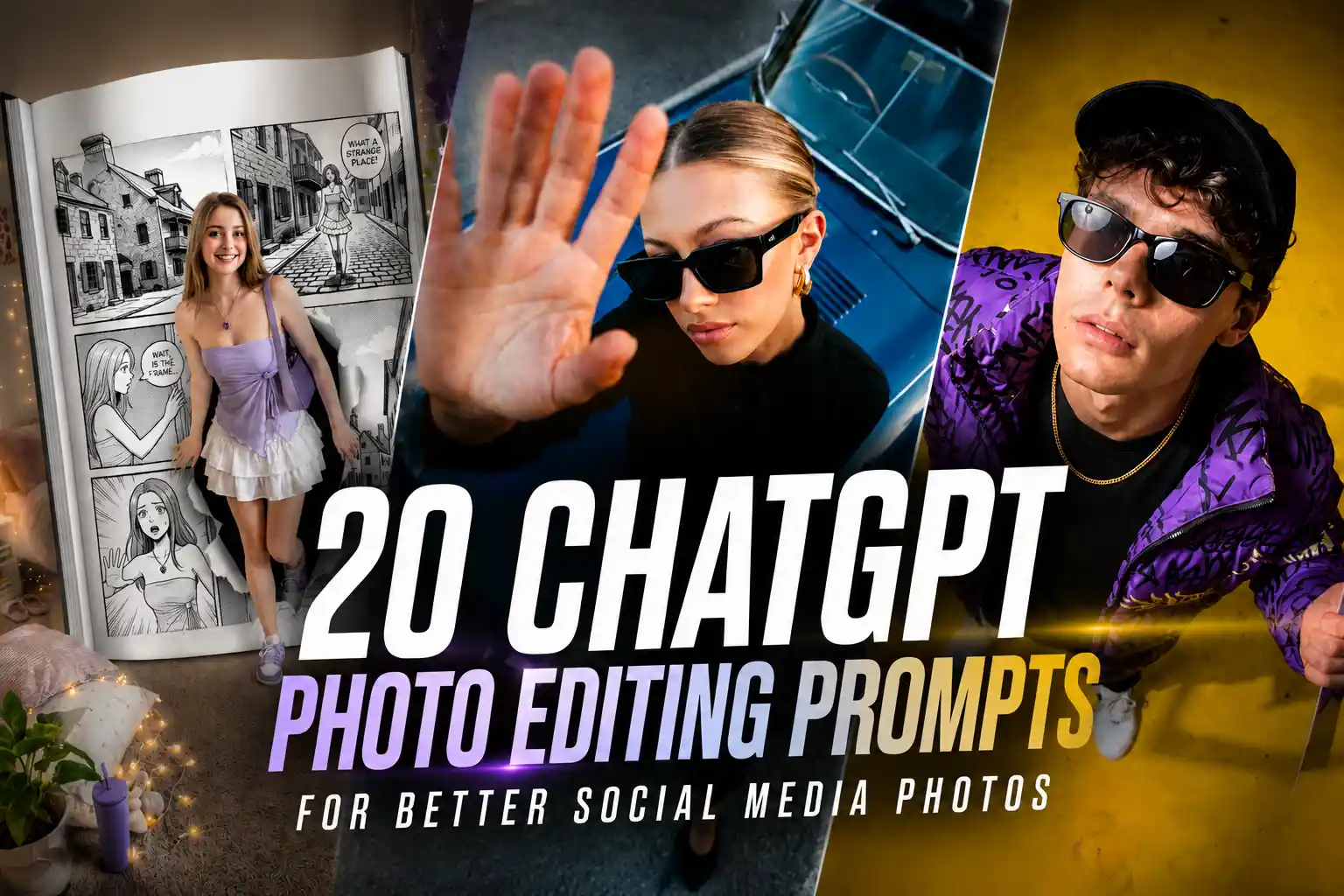
The difference between a photo people scroll past and one they stop on is often much smaller than people think.
Most social media photos don’t need dramatic editing — just better lighting, cleaner colors, or a stronger mood. That’s also why ChatGPT photo editing prompts are suddenly everywhere. Instead of opening complicated editing apps, people are using simple prompts to fix dark photos, improve aesthetics, or make ordinary pictures feel more worth posting.
In this guide, you’ll find 20 ChatGPT photo editingprompts for better social media photos, grouped by real editing goals — from fixing and upgrading photos to aesthetic edits and more scroll-stopping styles.
Stand Out on Social Media: Fun Photo Tricks
Want your pics to actually stop the scroll? With these chatgpt trait prompt for photo editing, you can play with Instagram frame breakouts, mini collages, YouTube thumbnails, and cinematic triptychs. Little tweaks, fun angles, and creative layouts can totally make your feed pop.
1.Instagram Frame Breakout
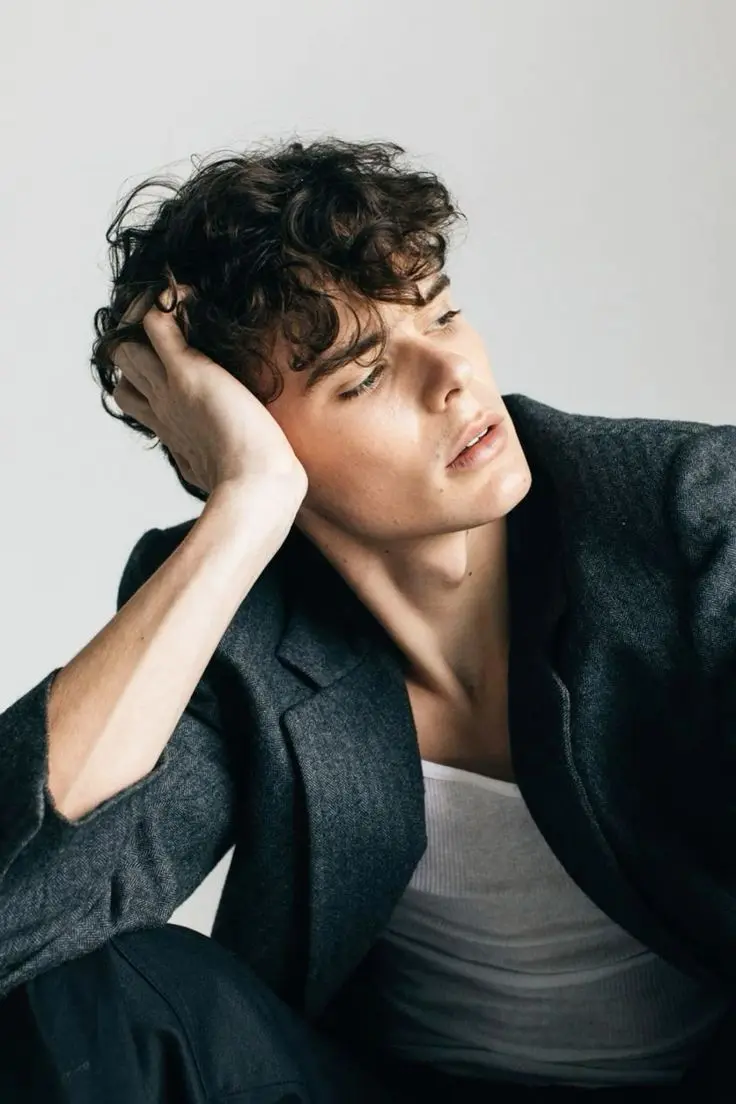
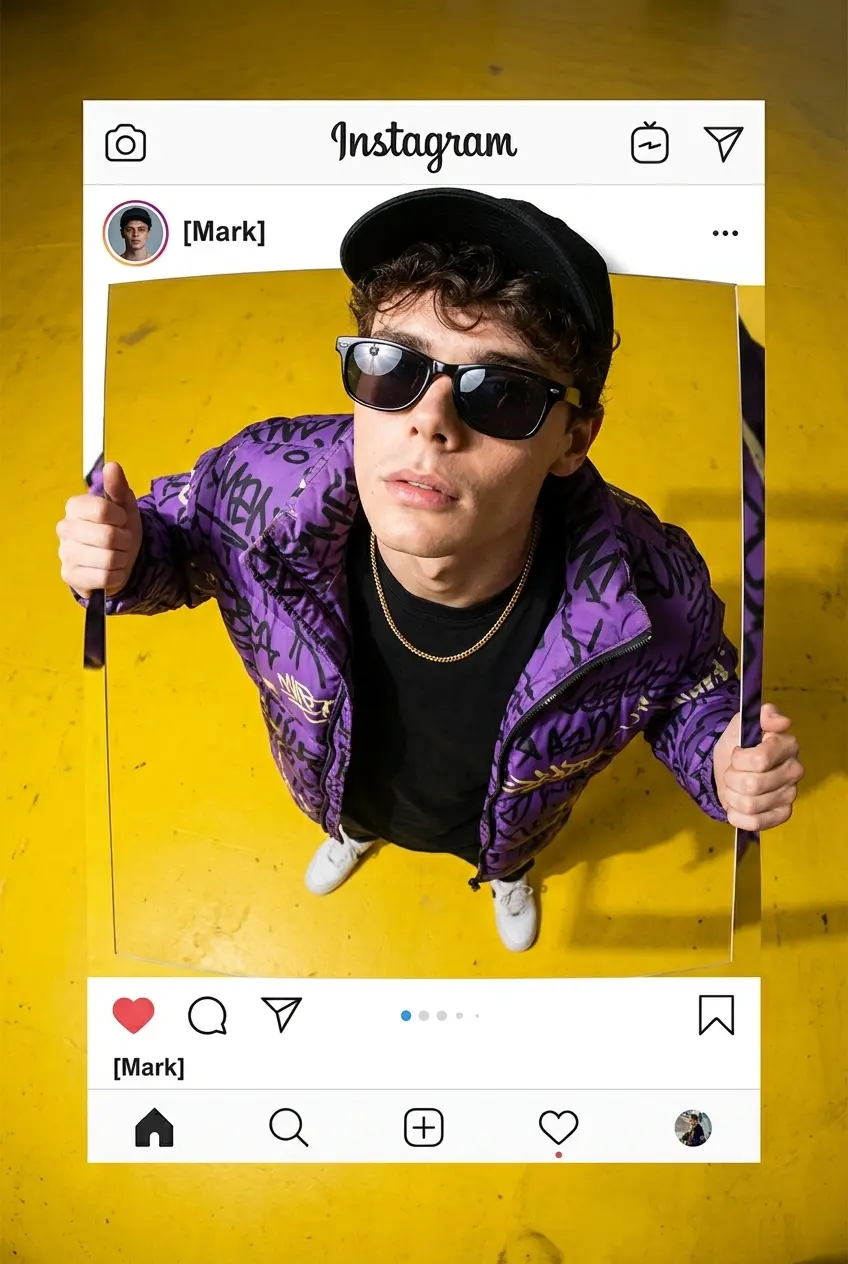
Prompt:
Create an Ultra-realistic photo composite of uploaded person breaking out of an Instagram post frame. Standing pose, both hands holding frame edges, upper body outside frame with real shadows. High top-down view, strong 10mm fisheye effect on person only (big head, smaller body), frame straight. Confident upward gaze, purple graffiti puffer jacket, black tee, gold chain, white sneakers, sunglasses, black cap, yellow floor, clean Instagram UI ([the user ID]) overlay, photorealistic.
2.Selfie Screen Step Out
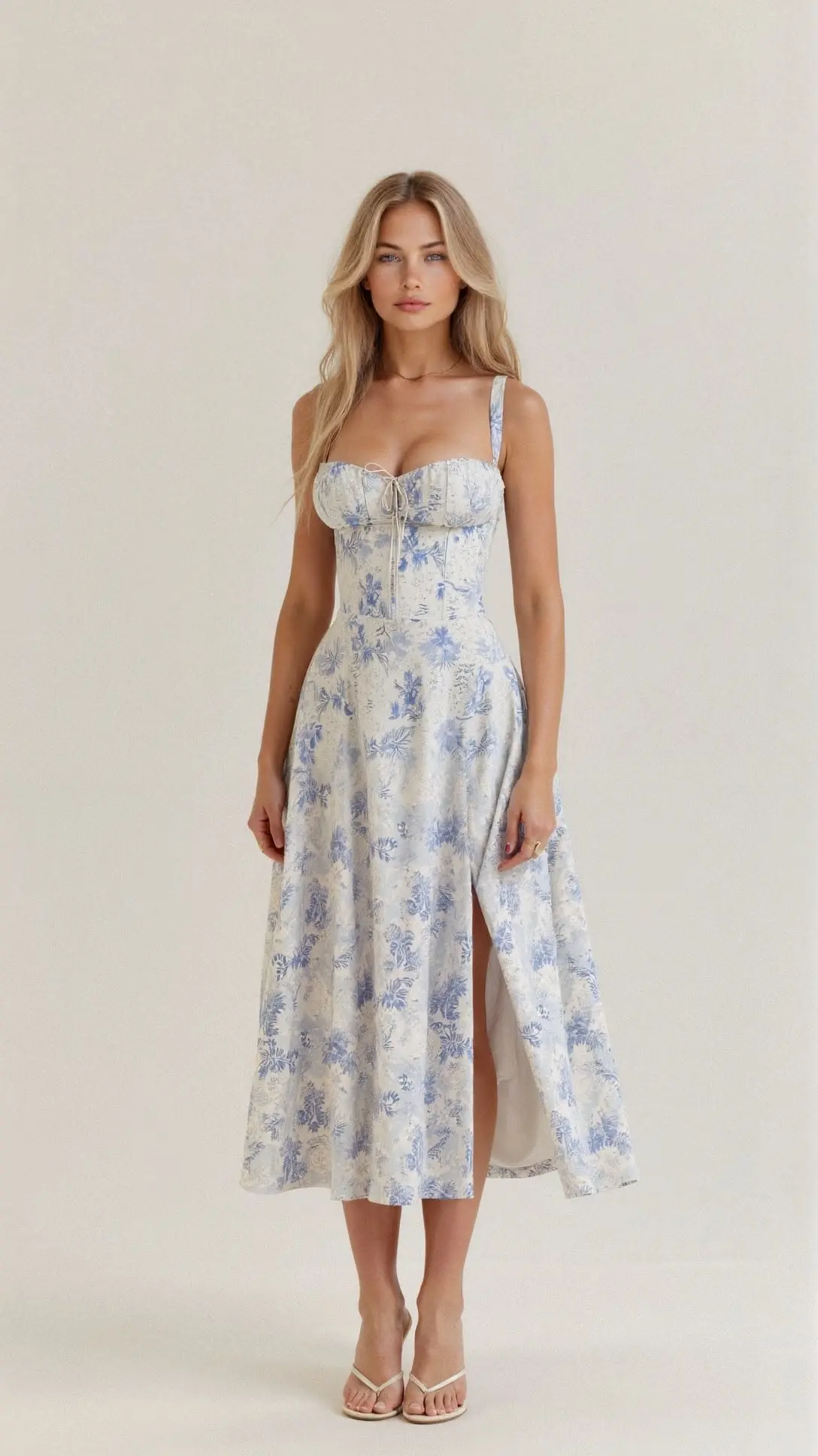
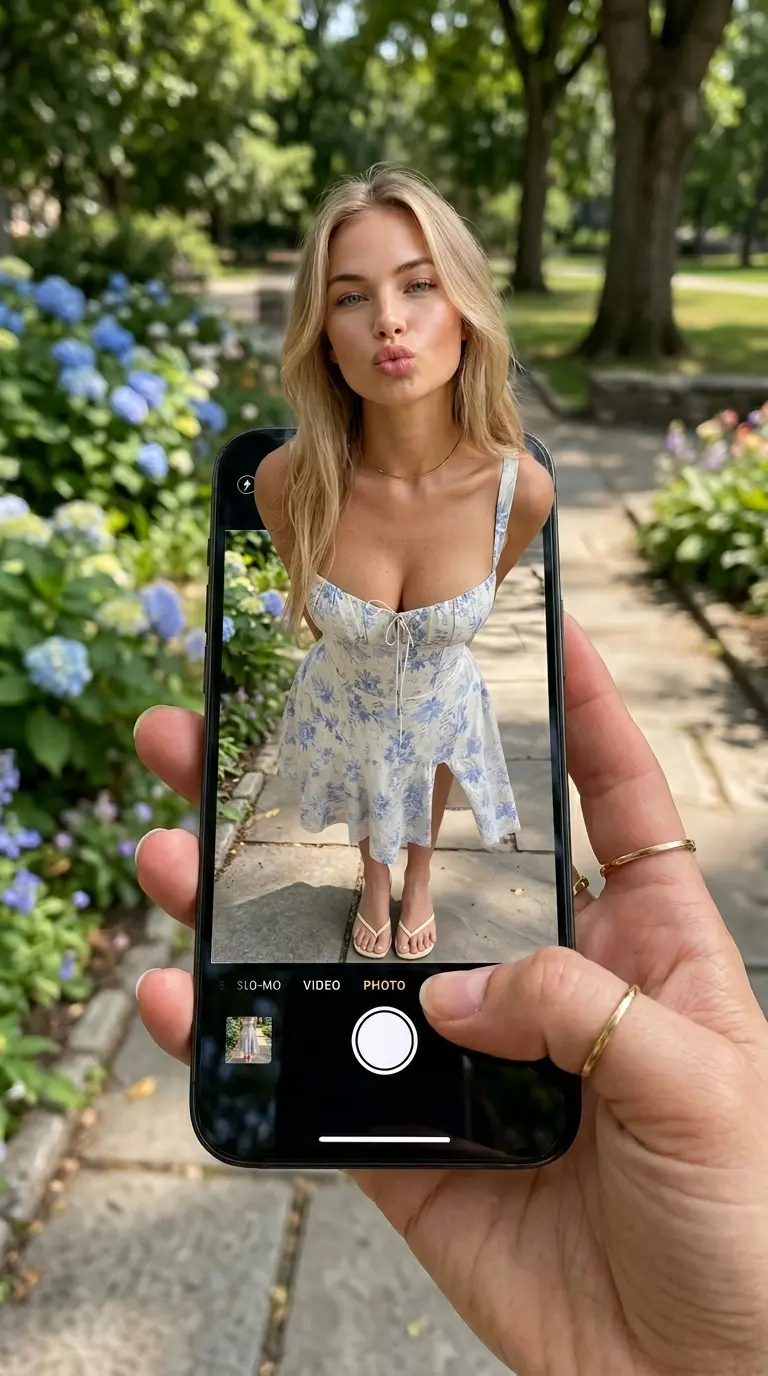
Prompt:
Generate a hyper-realistic optical illusion photograph where a person appears to be stepping out of a smartphone screen held in a hand. The phone screen should display the camera interface, showing the lower part of the body, while the upper body extends out of the phone into the real world.
Mirror Rules: The phone screen should clearly show the smartphone's camera UI, including the shutter button and mode text. Any handwritten annotations should be legible and not mirrored.
Subject Details:
● Expression: The subject should have an alluring and playful gaze, looking confidently at the viewer. The mouth should be positioned as if blowing a kiss or pouting in a chic and charming manner.

● Pose: The torso and head should emerge vertically from the phone, while the lower body (legs) is shown on the screen, creating a dynamic, energetic, and lifelike interaction.

● Automatic Completion: If the subject's clothing or body is incomplete, automatically fill in the missing parts to maintain a realistic, fully dressed figure with proper proportions and attire.

Lighting: Soft daylight with natural effects, enhancing skin texture, with realistic details like pores and natural imperfections.
Accessories:
● Jewelry: Include subtle details like gold rings on the photographer's hand (foreground).

● Device: Smartphone with an active screen, showing the iOS Camera App Interface with a white circular shutter button and the word "PHOTO."

Photography Details:
● Camera Style: DSLR photography with a macro lens for clear details of the phone screen and subject.

● Angle: High POV angle, looking down at the phone, emphasizing the interaction between the screen and the subject.

● Background: The background should match the subject's clothing and style, with the appropriate seasonal setting. For example:

    ○ If the subject is dressed in light, summery attire (such as a dress or short sleeves), the background should be a sunny, vibrant park with blooming flowers and fresh greenery, suggesting spring or summer.

    ○ If the subject is in cozy, layered clothing (like a sweater or jacket), place them in an autumn park setting, with fallen leaves, trees in warm hues of orange and yellow, and a bench in the distance. The scene should evoke a crisp, fall atmosphere.

    ○ For winter attire (like a coat or scarf), set the subject in a park with snow-covered trees, a frosty ground, and possibly a distant frozen pond or ice-skating area. The scene should feel cold, with soft, low winter sunlight.

    ○ Ensure the seasonal background complements the subject's attire, enhancing the overall aesthetic, while keeping the background softly blurred (Bokeh effect) to focus attention on the subject and the phone screen
3.Facebook Profile Pose
Prompt:
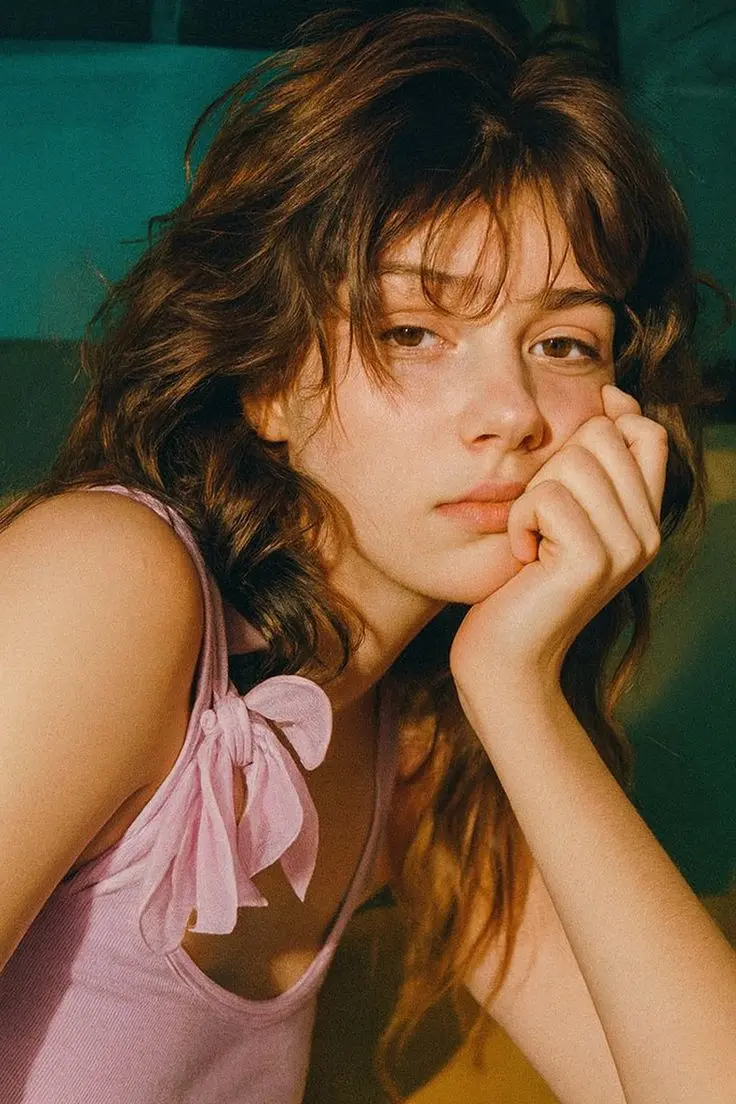
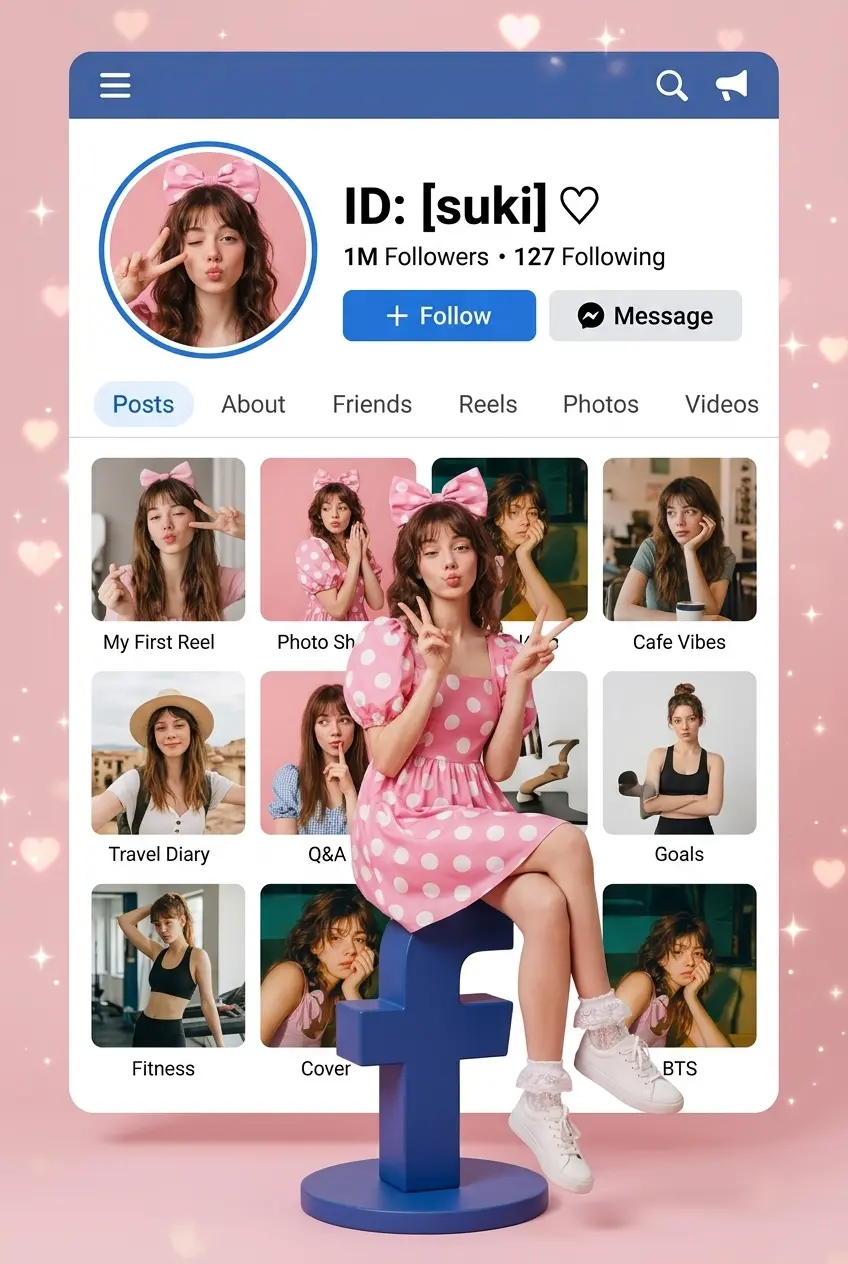
A high-resolution, photorealistic, vertical 9:16 aspect ratio photograph featuring a subject whose likeness, features, and expression are accurately derived from [USER_UPLOADED_IMAGE]. This subject is seated confidently on a stylized, dimensional, deep blue 'f' symbol pedestal, designed like a social media logo. The subject maintains the playful pout ("chu") expression and pose identical to image_1.png, and wears the same pink puff-sleeve dress with large white polka dots, a large matching pink hair bow, delicate white ruffled lace ankle socks, and crisp white sneakers resting on the pedestal base. Her hands are in her lap.
BACKGROUND UI (The Facebook-inspired profile): The background is a large, expanded white personal profile user interface card overlay, mimicking a sophisticated blue-and-white social media platform page. At the very top, a prominent stylized Facebook blue header bar with a menu icon (≡), a search icon (Q), and an activity icon is clearly visible. Below it, a large circular profile avatar features a portrait based on the specific likeness of the subject (from [USER_UPLOADED_IMAGE]) performing a playful peace sign gesture, positioned at the top-left of the main UI card area.
TEXT ID & INTERACTION BUTTONS: Immediately to the right of the circular avatar, render the bold, expanded text ID: [USER_ID_TEXT] in a prominent, large sans-serif typeface, followed by a heart symbol, and standard user data like "1M Followers • 127 Following". Below this ID section, positioned horizontally and central, are two prominent, large interactive buttons: one labeled "+ Follow" and the other labeled "Message".
PROFILE TABS: Below the buttons, there is a distinct horizontal row of tabs for navigating different profile columns, labeled: "Posts", "About", "Friends", "Reels", "Photos", and "Videos".
PHOTO GRID (3x3 style): The main content grid below is a 3x3 array (9 distinct posts) featuring unique, non-repeating photos of the subject (from [USER_UPLOADED_IMAGE]) in varied corresponding poses and scenes (e.g., holding a bunny, smiling at a cafe, traveling). Each of the 9 photos in the grid has a small, unique title rendered neatly in a banner below it (e.g., 'My First Reel', 'Photo Shoot', 'Cafe Vibes', 'Travel Diary', 'Q&A', 'Goals', 'Fitness', 'Cover', 'BTS').
ENVIRONMENT & LIGHTING: The scene is set against a soft, pastel-pink background adorned with sparkling heart bokeh and twinkles. Soft, clean studio lighting highlights the textures.
4.YouTube Thumbnails

Prompt:
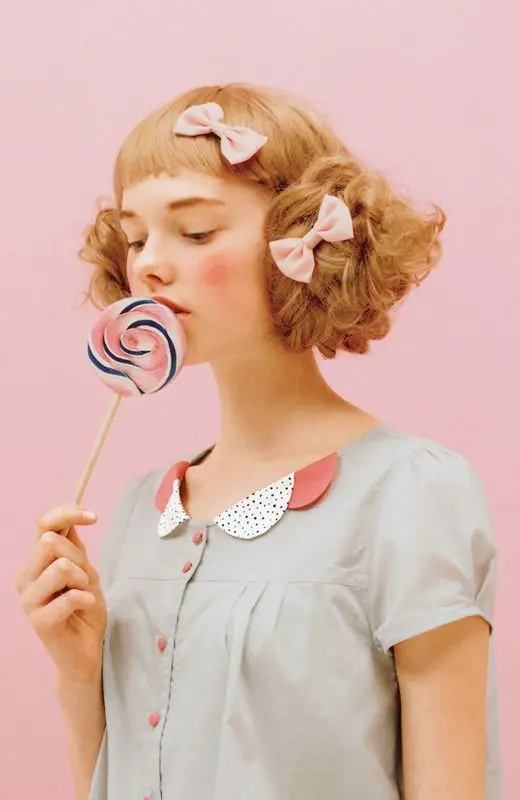
Enhance the subject from the input video frame. Exaggerate facial expressions slightly for impact. Apply a high-contrast, saturated color grading. Add bold, clear space for text overlays. Create a highly eye-catching, high-click-through-rate composition.
5.TikTok Star Mode
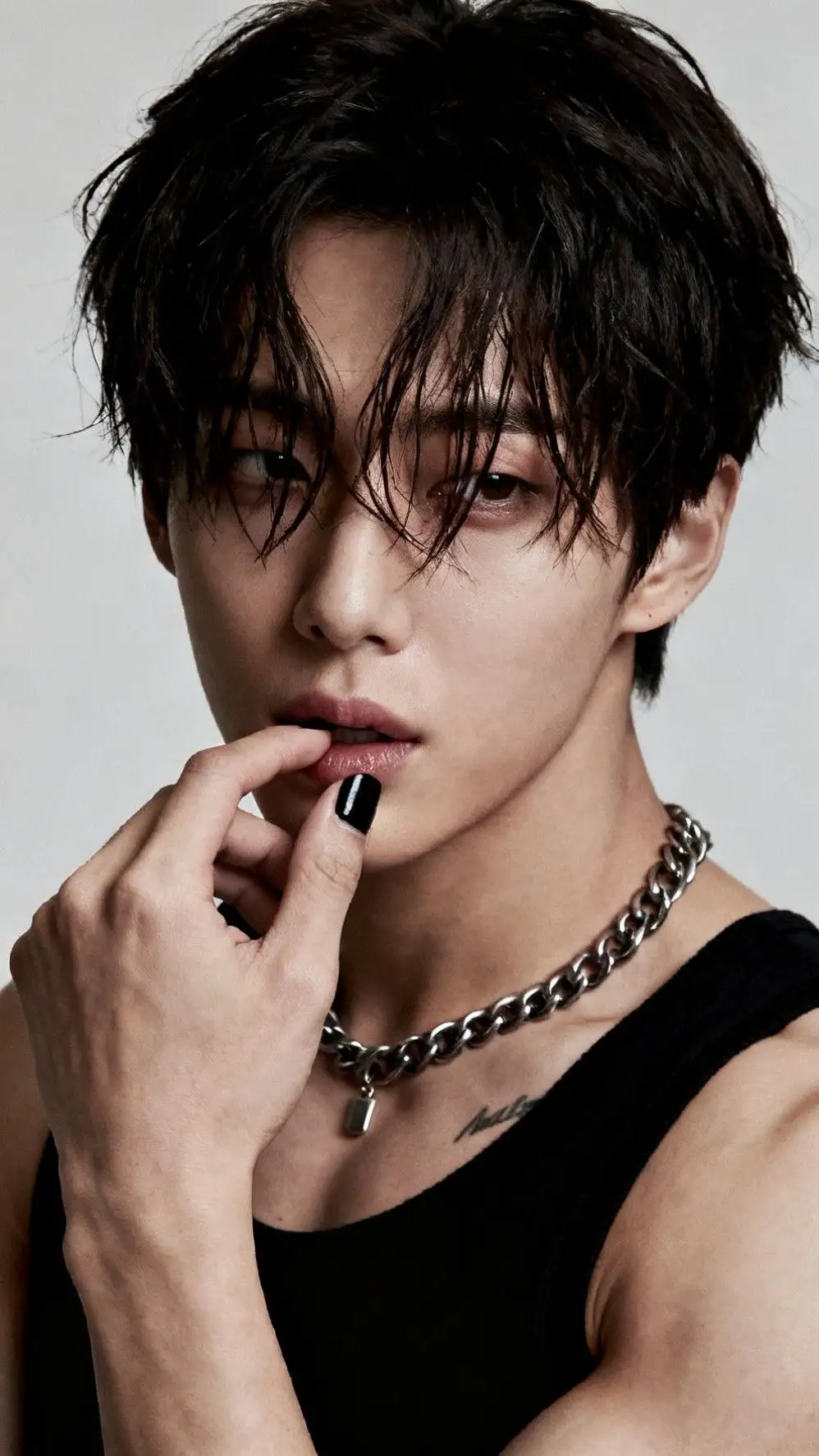
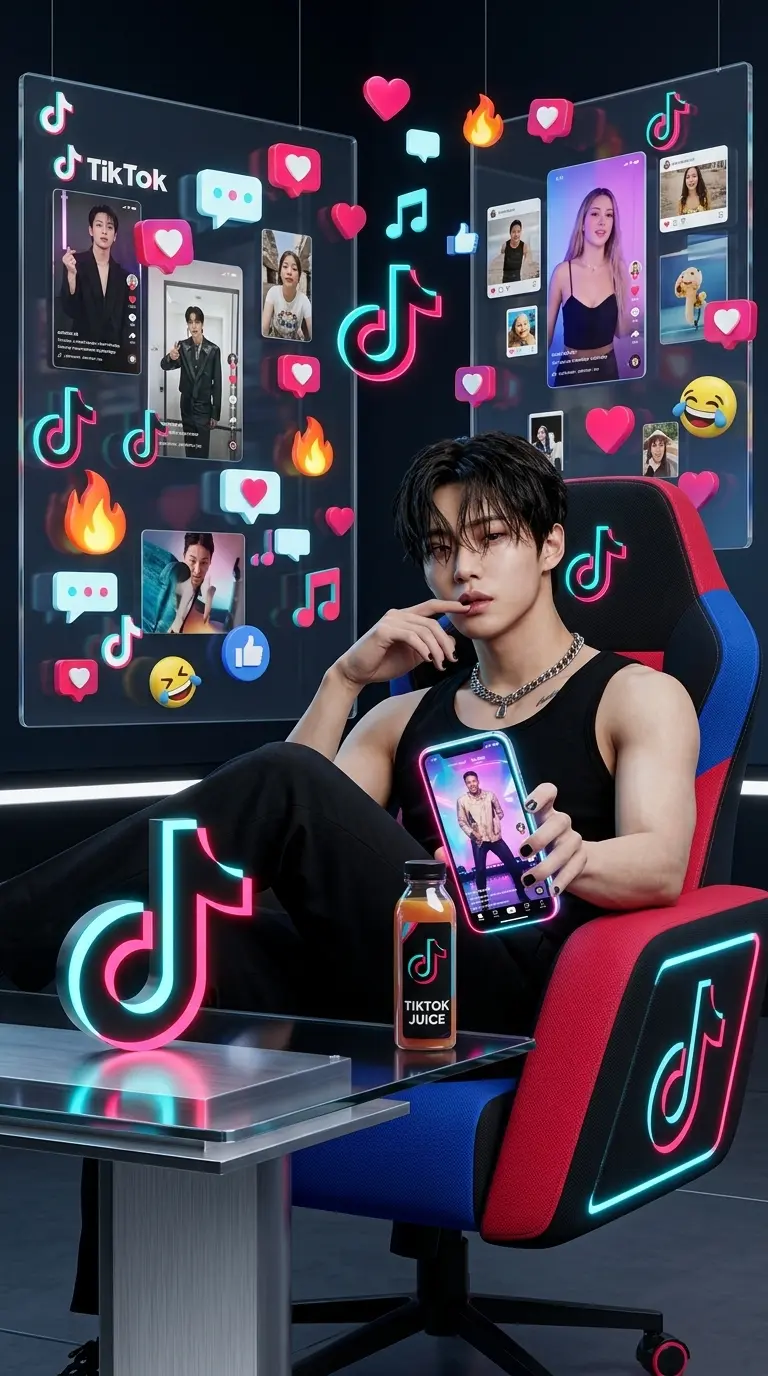
Prompt:
Prompt : “Create an ultra-realistic studio portrait styled around TikTok branding. A people (use uploaded image, preserve face and facial texture exactly) sits confidently in a modern, TikTok-themed chair. His legs are casually crossed on a sleek table with a glowing 3D TikTok logo.

He’s holding a smartphone in one hand, screen glowing with TikTok’s signature neon colors (black, red, and blue). On the phone screen, a viral video plays — a celebrity dancing. In the other hand, he holds a stylish juice bottle printed with the TikTok logo. The background is a custom dark  TikTok-designed room with glowing panels displaying trending TikTok videos, pictures, and floating TikTok icons (❤️ 💬 🎶 🔥 👍😍😂).
Scene should look  Hyper realistic like a TikTok ambassador campaign. 1:1 aspect ratio, professional lighting, sharp detail.
Resolution 8k
6.Breaking the Panels
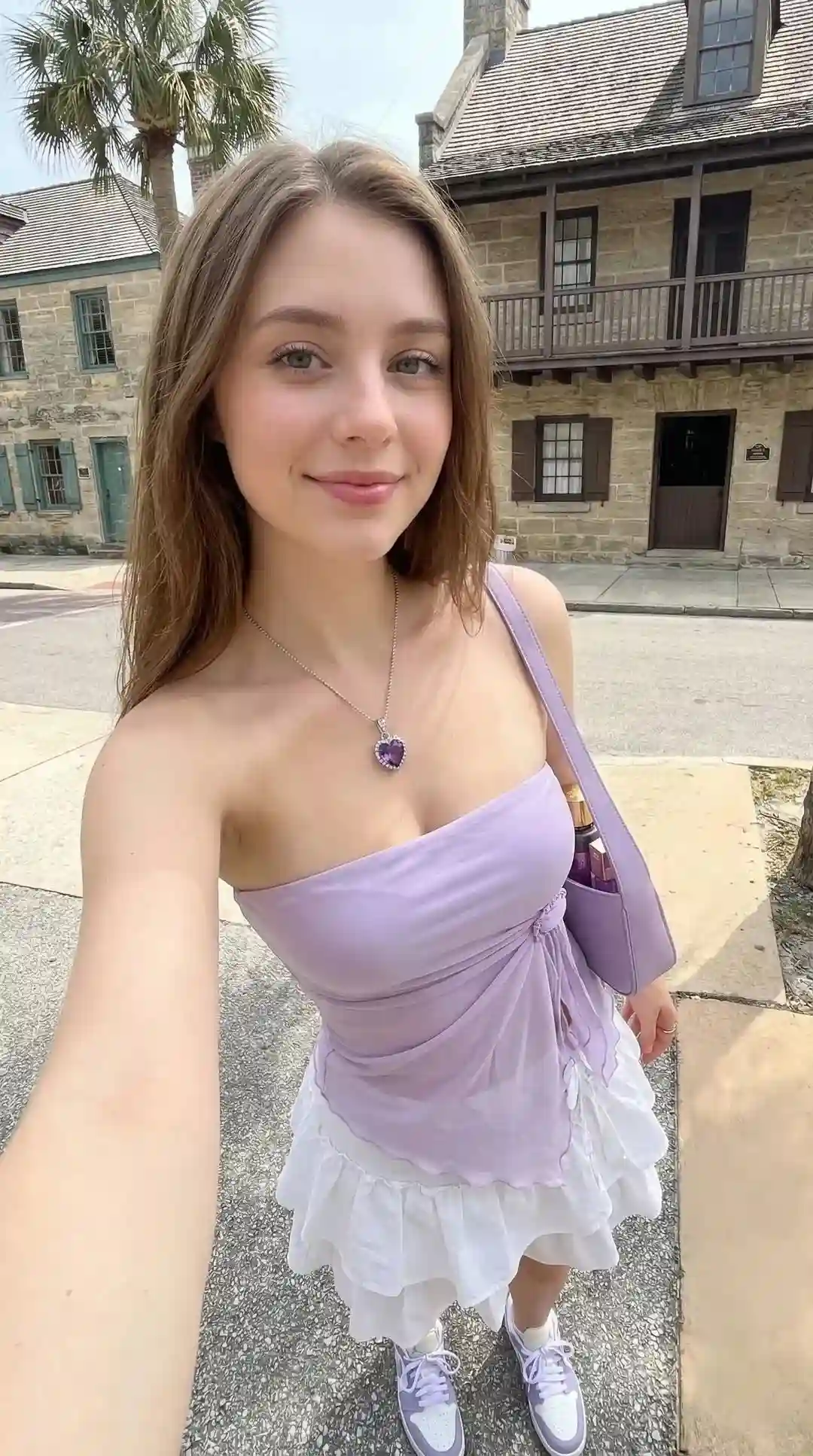
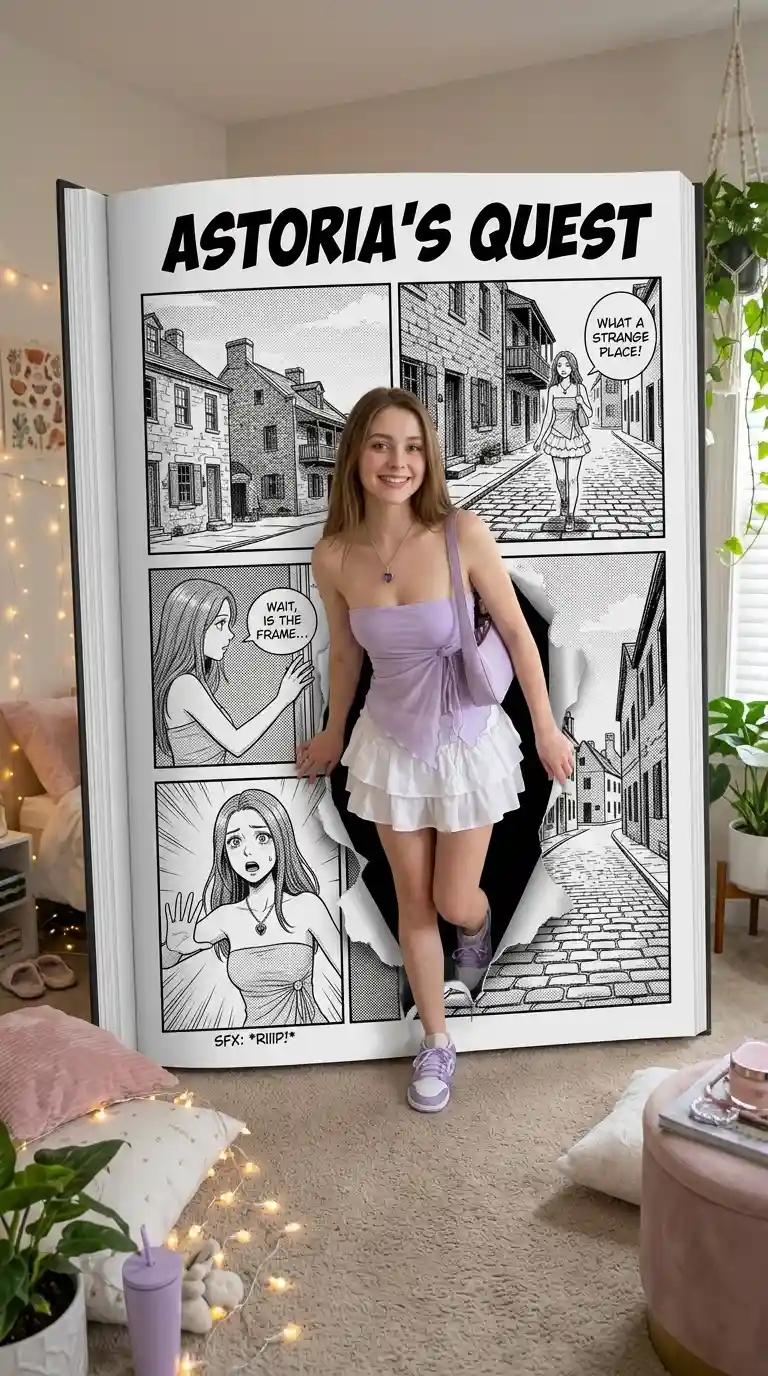
Prompt:
In an ultra-realistic 8K scene, the person in the uploaded image steps out, breaking the panel frame of a giant open comic book lying on the floor of an aesthetic bedroom. The comic features a surreal 4-panel layout, reflecting the same character and setting from the image. The style is black-and-white with screen tone, bold ink lines, and an authentic Japanese layout (read from right to left). The title of the comic, as well as the characters and their actions, are customized based on the uploaded photo. The character in the comic is depicted in the same outfit and style as seen in the image, creating a unique interaction between reality and the comic world.
7.Mini Me Studio
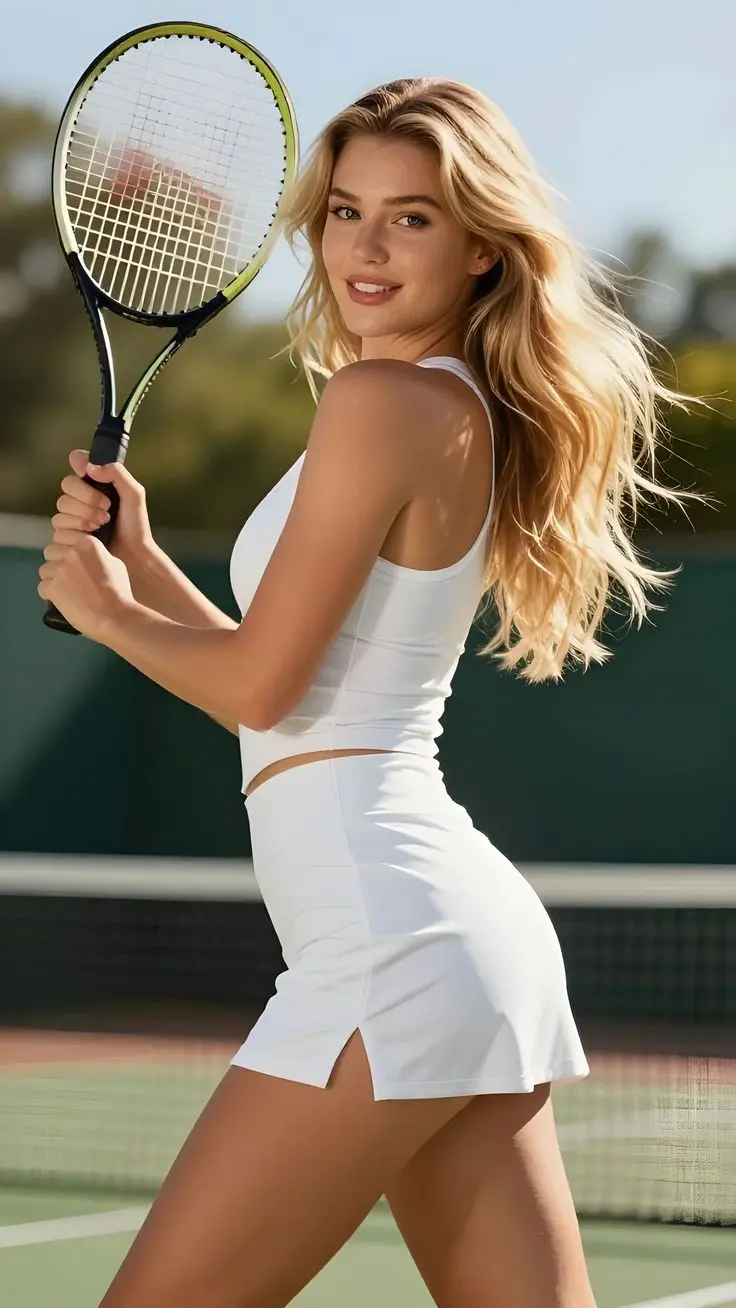
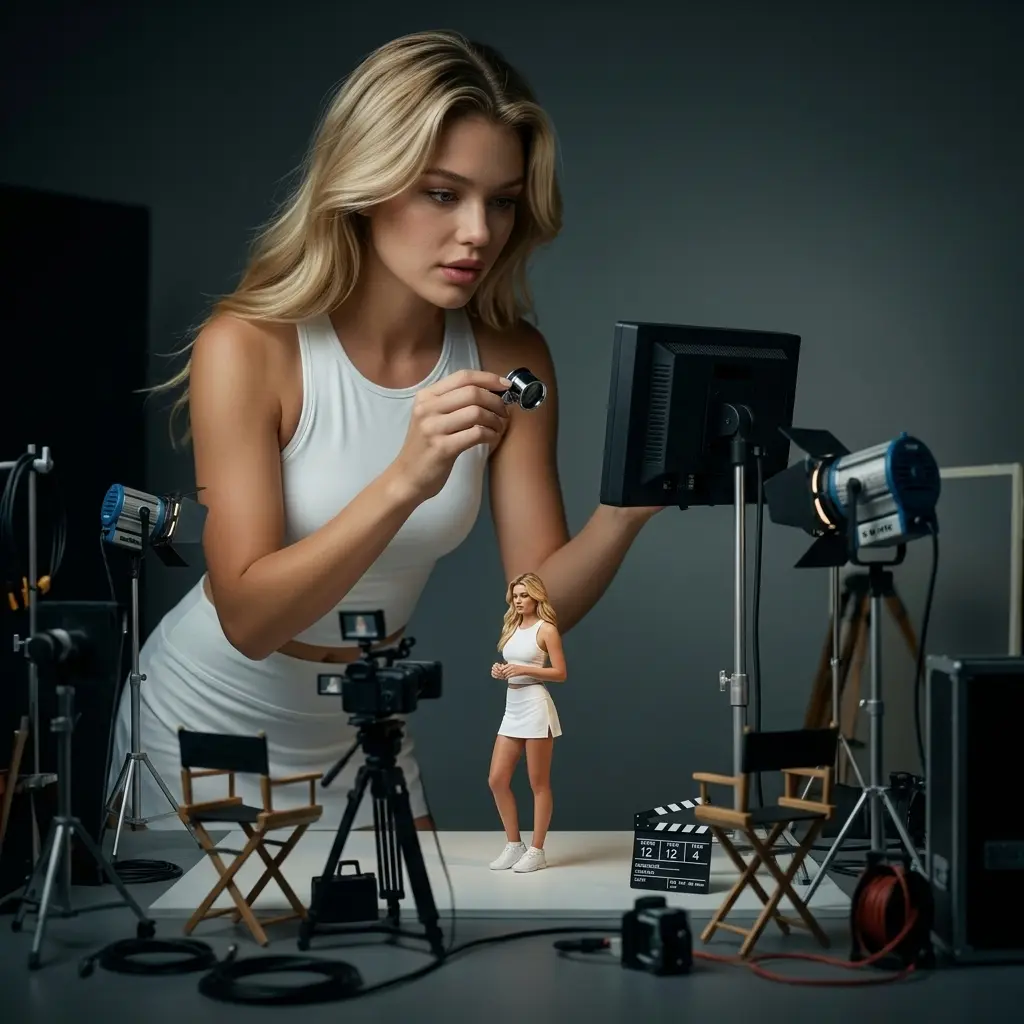
Prompt:
ultra-realistic cinematic studio scene, photorealistic, 8K detail: a person from the uploaded image supervising a miniature behind-the-scenes film set starring their tiny self.
Both the full-size person and the miniature version share identical facial features, hairstyle, body proportions, clothing, and expression, with strong identity consistency.
Scene: the full-size person stands or sits naturally, checking a miniature monitor, while the tiny version of themselves stands within a detailed scaled film set.
Environment details: miniature director chairs, lighting rigs, cables, cameras, clapperboards, and lenses arranged realistically across the studio, emphasizing a professional film production setup.
Lighting: low-key cinematic lighting with soft highlights and controlled shadows, enhancing depth and realism.
Camera: shallow depth of field, immersive framing, focus on interaction between the real-scale subject and the miniature set.
Style: cinematic studio realism, highly detailed, natural skin texture, realistic materials, no illustration, no CGI look.
(identity consistency:1.8), (scale contrast:1.7), (miniature detail:1.6), (cinematic lighting:1.6), (photorealism:1.7)
8.Car Top Down Shot
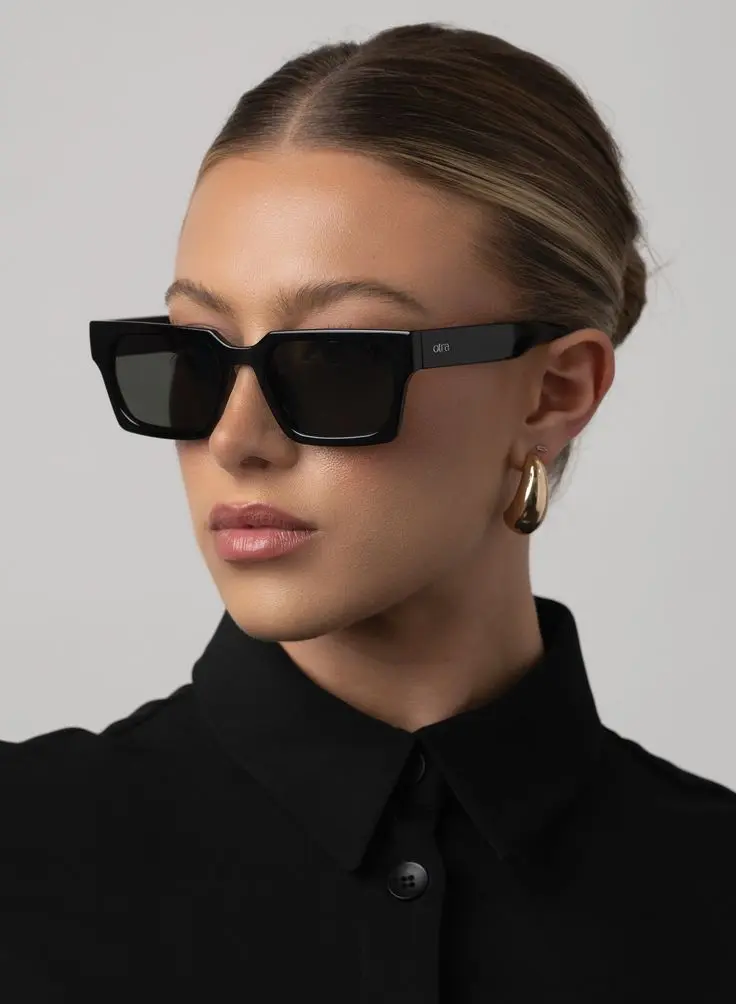
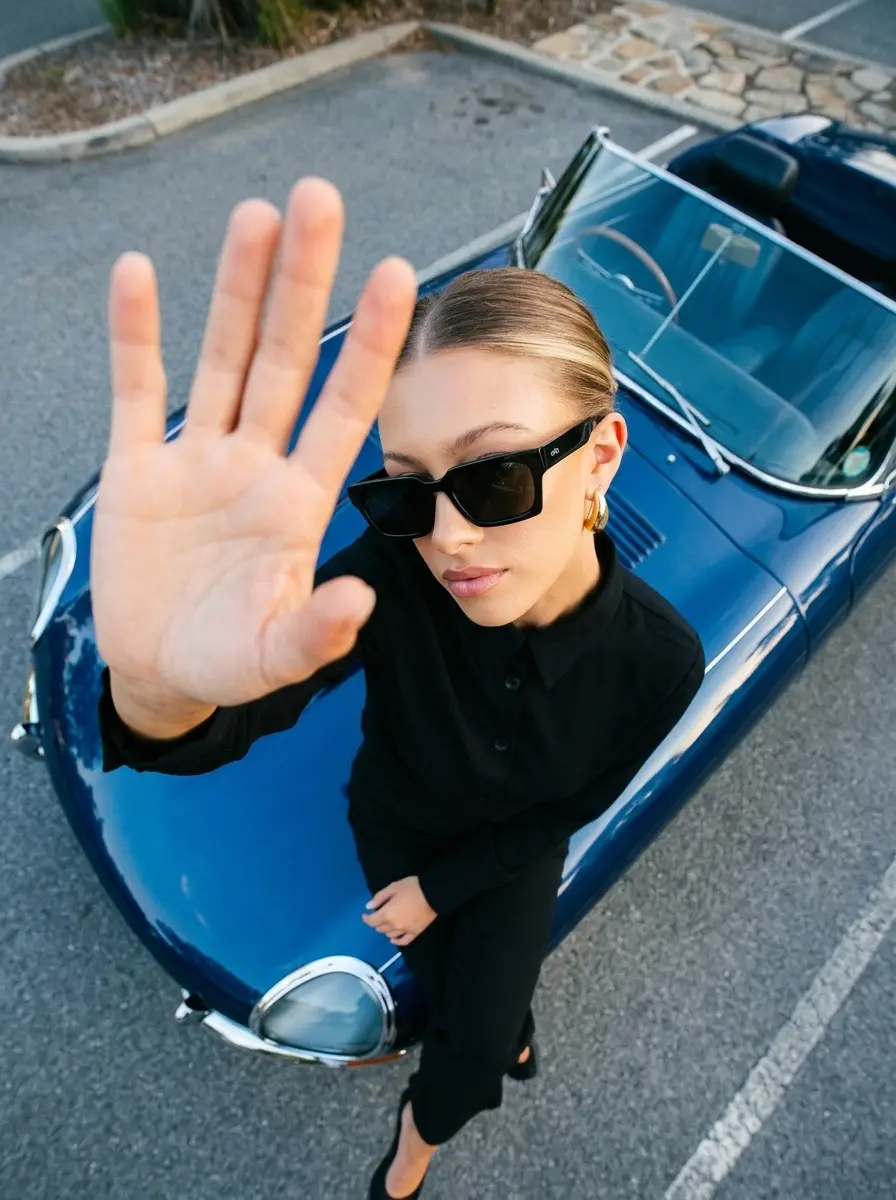
Prompt:
A cinematic top-down shot of the person as reference sitting on top of a classic sports car, wearing the glasses in the attachment, reaching toward the camera, shot with an ultrawide lens. high-saturation color grading, polished skin retouch, subtle film grain], shot on Kodak Ektachrome E100, lifelike detail
9.Style Portrait Collage
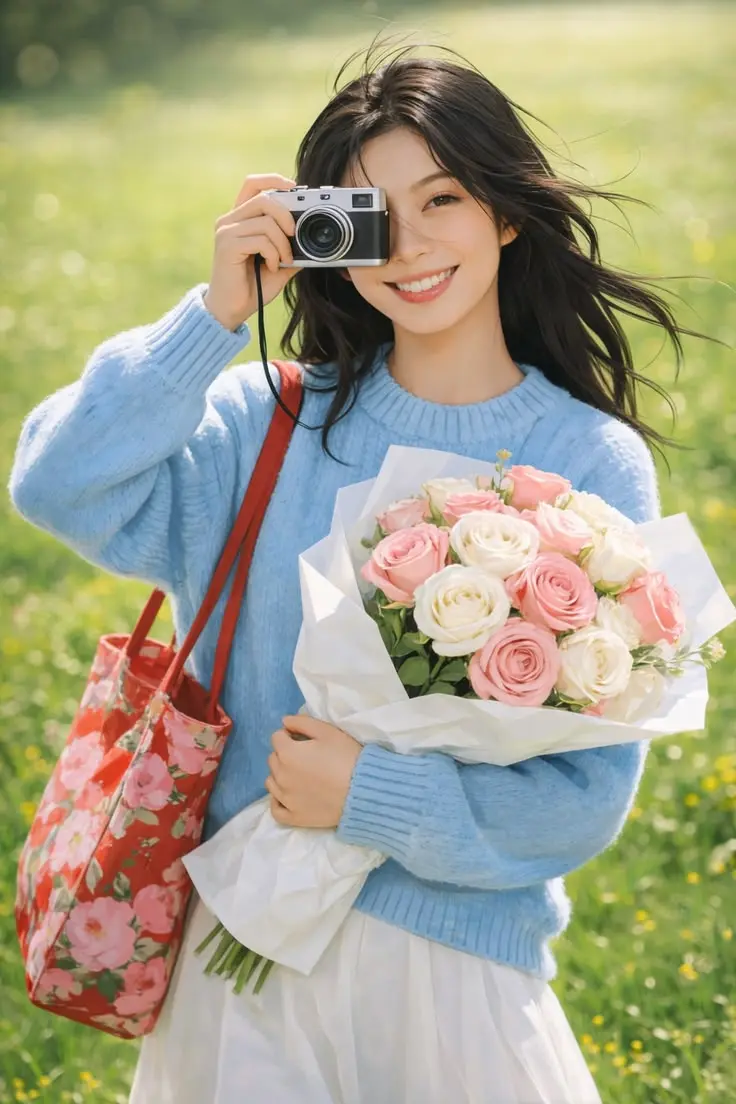
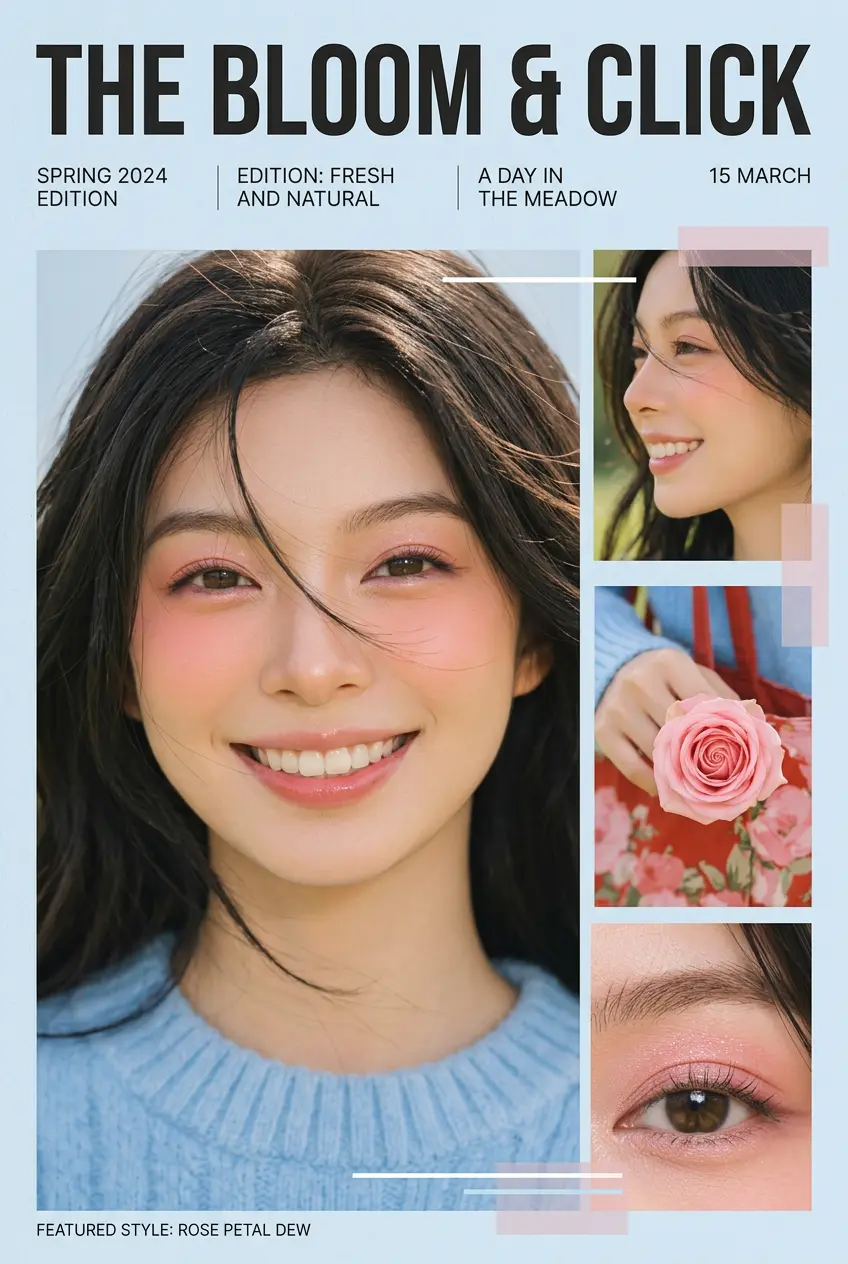
Prompt:
I. Overall Objective
1. Function Description: Based on user-uploaded reference images, extract the subject's temperament, makeup style, lighting, and color characteristics to create a unique fashion portrait collage.
2. Difference Requirements: Preserve the facial features and overall temperament of the reference subject; do not directly copy the original image. Makeup and composition should be creatively varied within the same stylistic framework.
II. Input Reference Image Requirements
1. Reference Content: A clear front-facing or two-thirds profile photo of a person, clearly showing facial features, skin texture, and general lighting atmosphere.
2. Extraction Key Points: Extract skin tone, makeup intensity, main color tone, lighting direction, subject temperament, and clothing color scheme from the reference image.
III. Image Composition and Output Format
1. Main Image: Generate a super close-up or close-up of the subject's face, with the head and shoulders occupying most of the image space. The gaze can be designed with reference to the temperament of the original image.
2. Collage Structure: Add multiple small images to the right side or corner, including close-ups of profiles, hands, and makeup details, creating a magazine-like layout.
3. Background: Keep the background simple and clean, using solid colors or slight brightness transitions to highlight the subject and makeup.
IV. Text and Graphic Design
1. Title Text: Place a large magazine title at the top of the image, with a simple and powerful font, centered or top-center aligned.
2. Subtitles and Small Text: Add several lines of small text to one side or bottom of the image. This can include keywords, names, and dates, arranged neatly with a consistent font size.
3. Geometric Shapes: Add thin lines, narrow rectangular color blocks, or semi-transparent color blocks around the subject, combining them with text to enhance the sense of planar composition.
V. Style Inheritance Rules
1. Color Inheritance: The overall color tone, contrast, and warm/cool tones should closely match the style of the reference image. The main color should come from the most prominent makeup or clothing color in the reference image.
2. Lighting Inheritance: Refer to the original image's lighting direction and softness. If the original image uses soft lighting, maintain the soft lighting texture; if the original image has high contrast, retain a certain degree of sharpness.
3. Makeup Inheritance: Maintain the same style level based on the makeup characteristics of the reference image (clear, intense, experimental, natural, etc.), then make subtle variations in eye makeup, blush, and lip makeup.
4. Atmosphere Inheritance: Continue the emotional atmosphere of the reference image, such as a cool, sweet, rebellious, or mysterious feel, echoing it in expressions and postures.
VI. Creative Variation Rules
1. Makeup Variation: Add localized exaggerations to the reference style, such as expanding the blush area, enhancing lip shading, adding freckles or highlights.
2. Composition Variation: Adjust the facial angle, cropping area, and small image collage position to ensure different compositions for each generation.
3. Accessory Variation: Add simple yet stylish accessories to the neck, ears, or hands, echoing the main color scheme but not completely replicating the reference image. 4. Detailed Gestures: Add hand gestures such as touching the lips, cheeks, and under the eyes to make the image more narrative and engaging.
VII. Overall Texture and Post-Production Style
1. Clarity: Maintain the visibility of skin pores and details, avoid excessive smoothing, but appropriately soften non-focus areas.
2. Tone Processing: Maintain a unified overall tone, moderately reduce distracting colors, and only enhance the main color and a few accent colors.
3. Emotional Expression: Based on the mood of the reference image, control the intensity of facial expressions and eye contact to ensure the image retains its original style while possessing a unique personality.
Referring to user-uploaded portrait photos, the image style is automatically read and created according to the above rules.
10.Cinematic Triptych
Prompt:
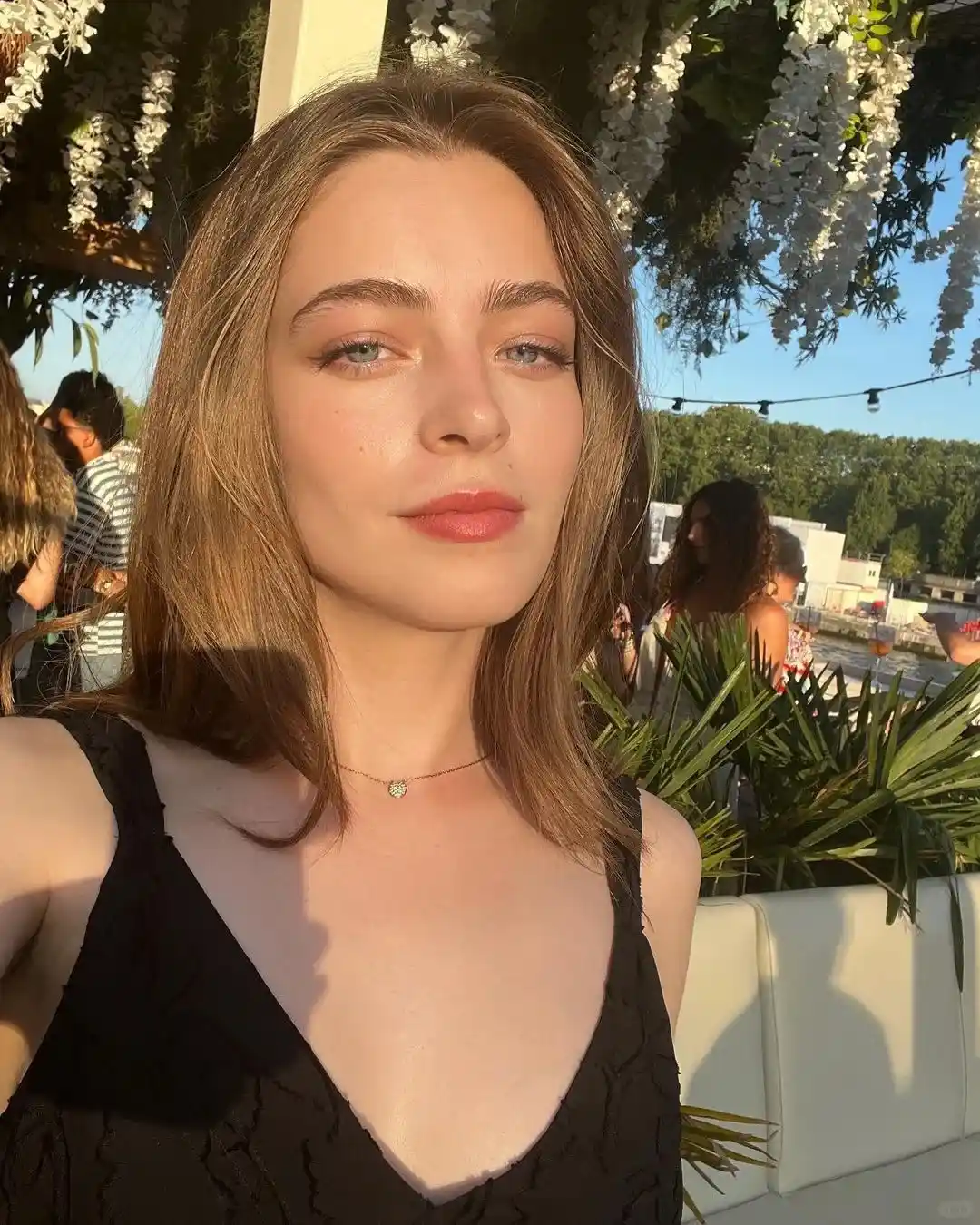
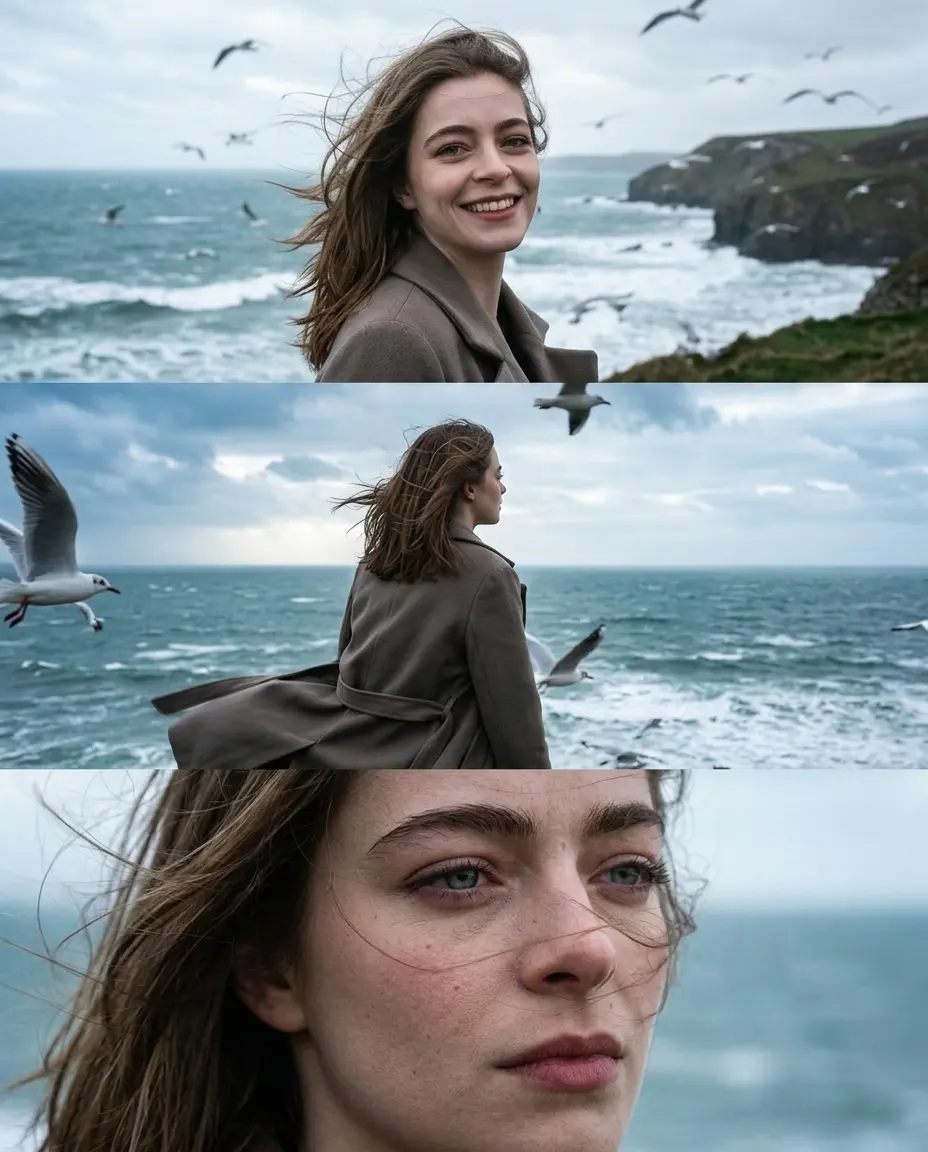
Use the uploaded photo as the exact identity reference. Keep the same person, the same face, the same facial features, proportions, and natural expression. Create a photorealistic cinematic triptych portrait, a three-frame composition combined into one image. Scene: a windy seaside with a cold sea, overcast sky, flying seagulls, strong ocean wind, and a vivid, alive atmosphere. Frame 1 (top): wide cinematic shot. The person stands by the sea, smiling naturally. Their hair is blowing in the wind. Seagulls are flying in the background. Frame 2 (middle): medium shot from behind or from the side. The person is looking at the sea. Their coat and hair are moving in the wind. Seagulls fly nearby. Frame 3 (bottom): close-up emotional portrait. Wind in the hair, natural skin texture, thoughtful gaze, cinematic mood. Style: real photography, cinematic lifestyle portrait, documentary fashion photography. Lighting: natural overcast daylight, soft shadows, cold seaside tones. Camera: full-frame DSLR look, 85mm lens aesthetic, shallow depth of field. Color grading: muted cinematic colors, cool palette, film-like mood. Ultra photorealistic, natural skin texture, real moment. No illustration, no CGI. No text, no logos, no watermark.
ChatGPT Prompts to Fix and Upgrade Your Photos
Before experimenting with aesthetics or viral styles, it usually helps to fix the basics first. Better lighting, cleaner colors, sharper details, or small repairs are often enough to make an average photo feel much more polished. A good chatgpt prompt for photo editing can help upgrade photos without making them look overly edited or unnatural.
11.Fix Bad Lighting & Relight Photos
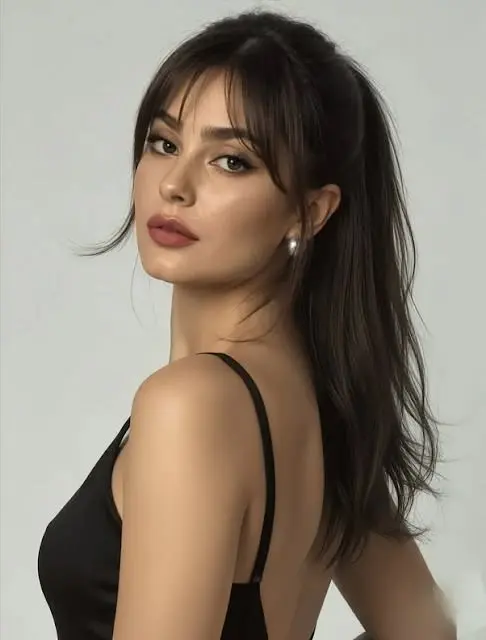
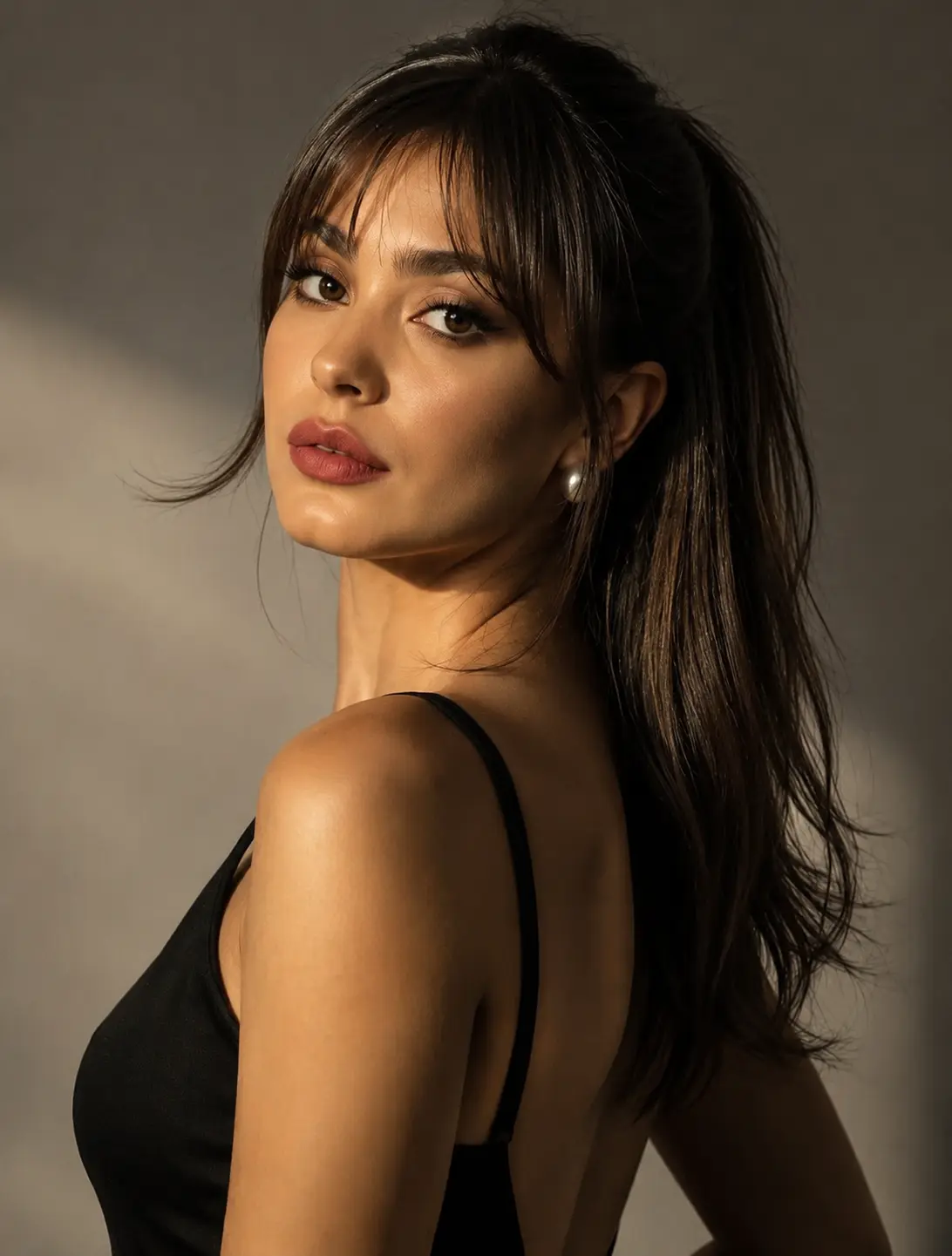
Prompt:
Apply cinematic side lighting to the photo.Add directional light coming from one side to create depth, soft shadows, and dramatic contrast.Use realistic light falloff and natural skin tones for a cinematic, high-end look.Keep the subject unchanged and photorealistic.
12.Improve Colors & Make Photos Look More Polished
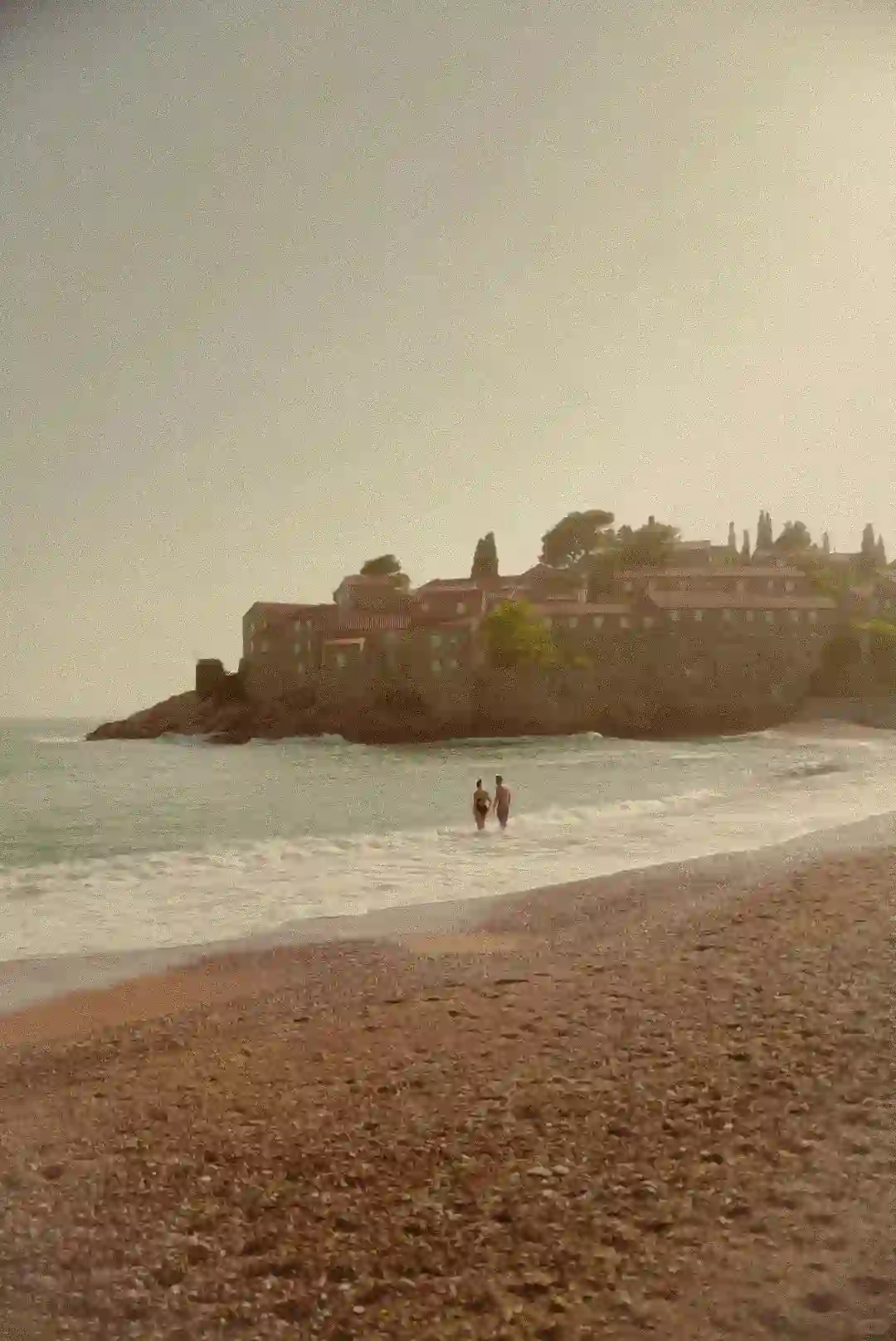
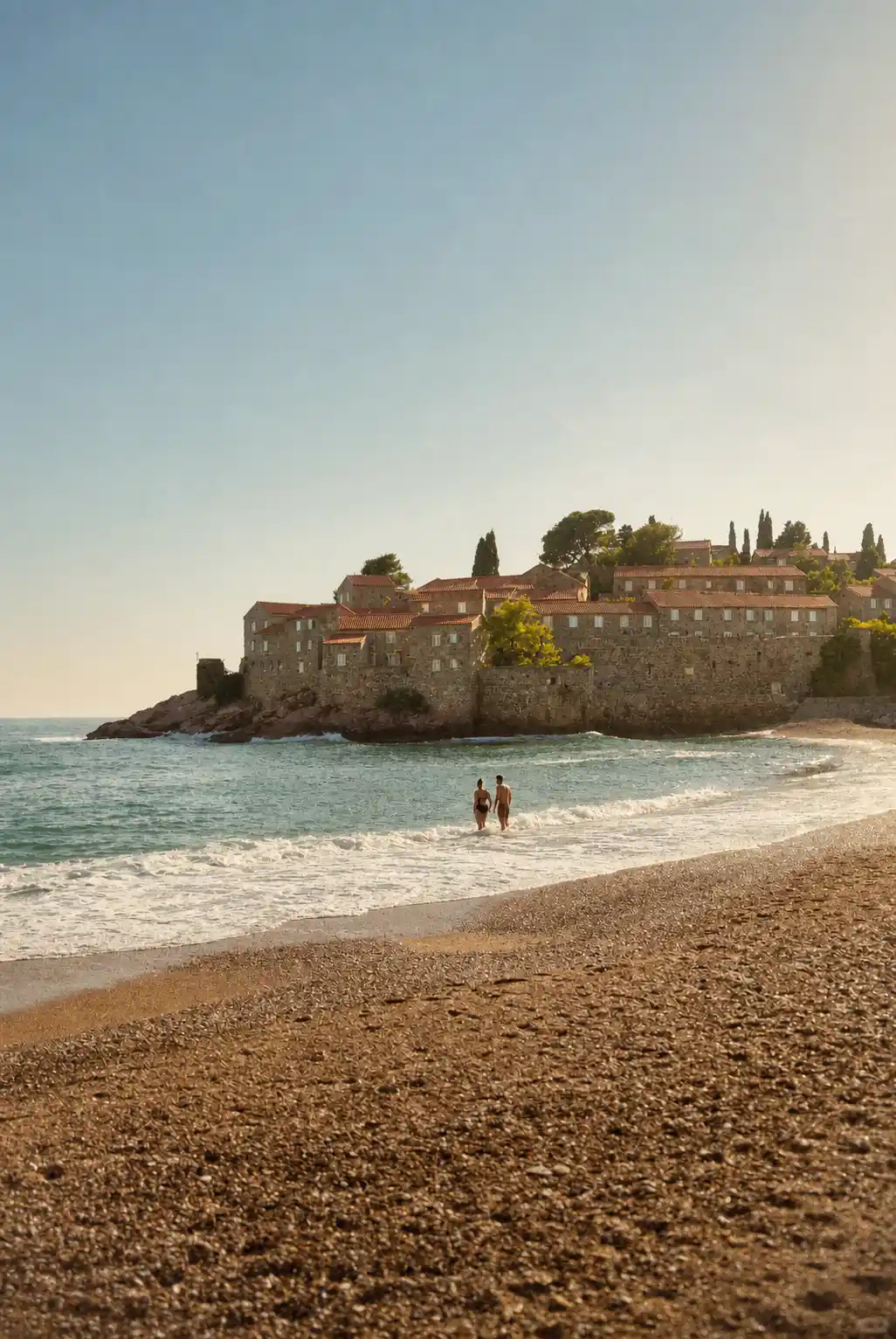
Prompt:
Enhance this photo for social media: improve lighting and exposure, subtly enrich colors, increase clarity, and make key elements more visually appealing while keeping the image realistic and natural.
13.Sharpen Details & Improve Photo Quality
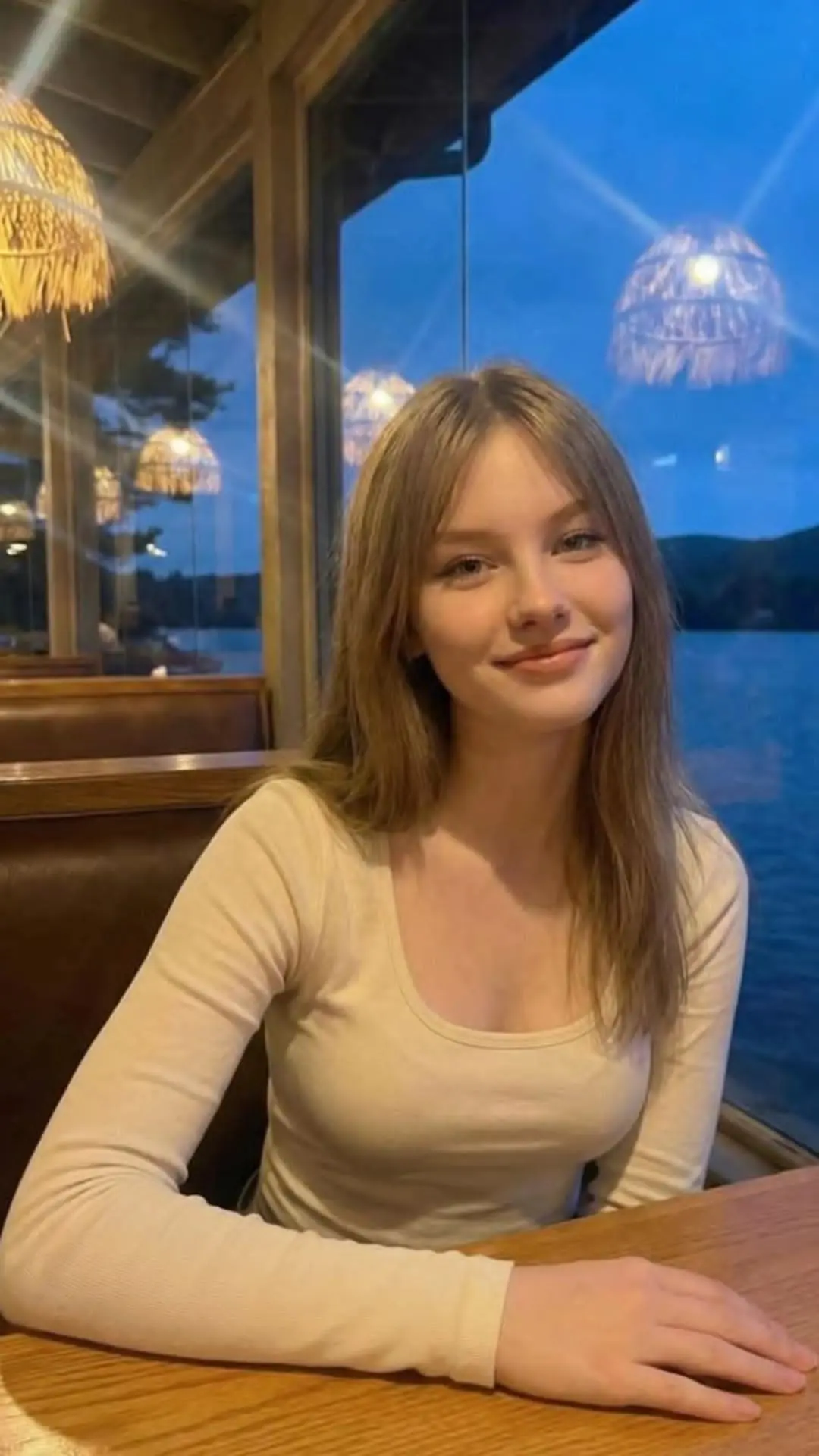
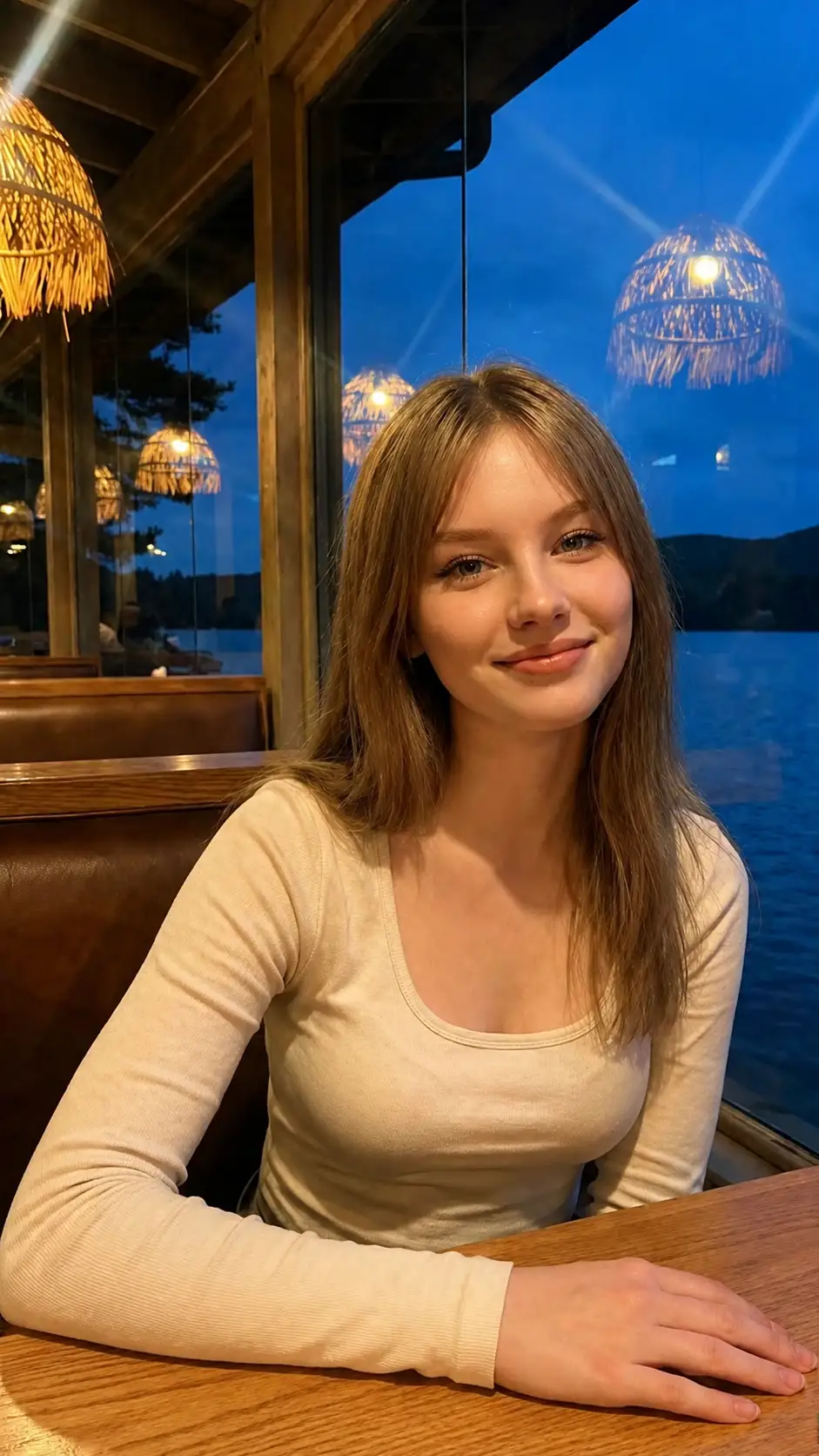
Prompt:
Restore and enhance the provided low-resolution image. Preserve original identity, composition, and proportions exactly. Render with hyper-realistic textures, visible skin pores, sharp fabric weave, and crystal-clear fine details. Professional photographic finish, 8K resolution.
14.Clean Up Distracting Backgrounds
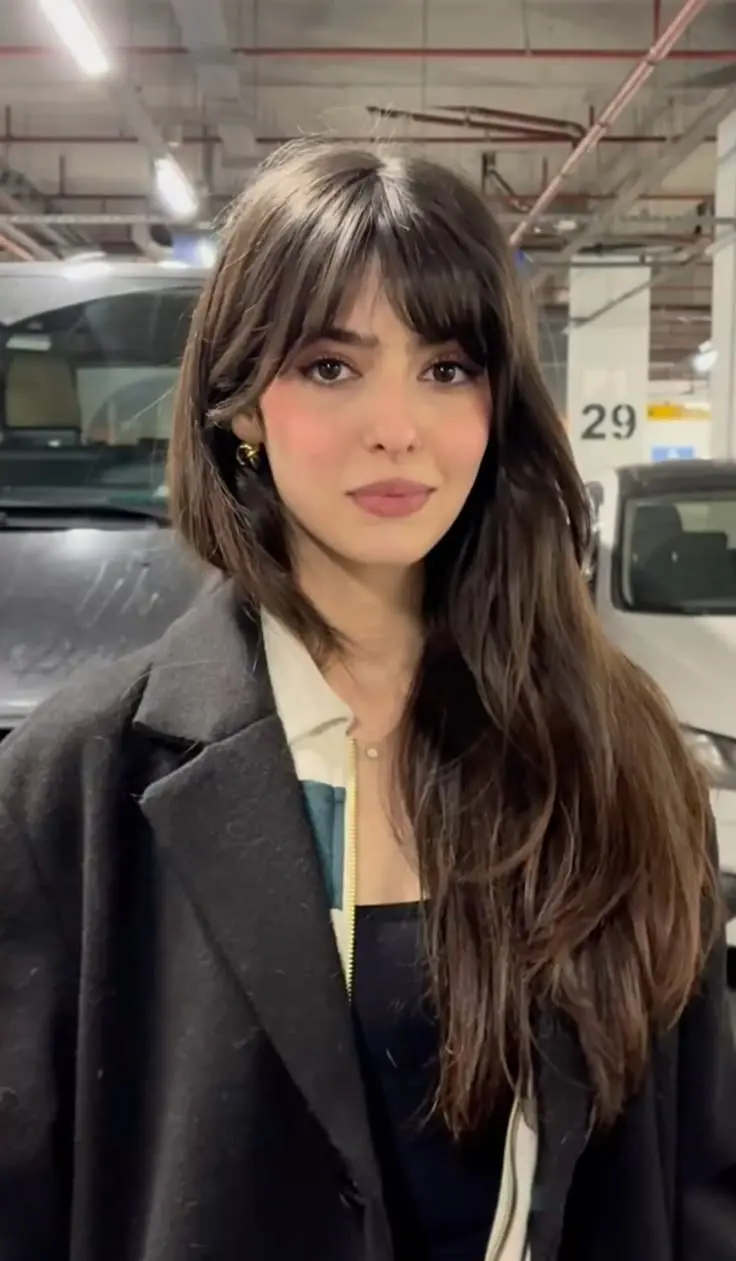
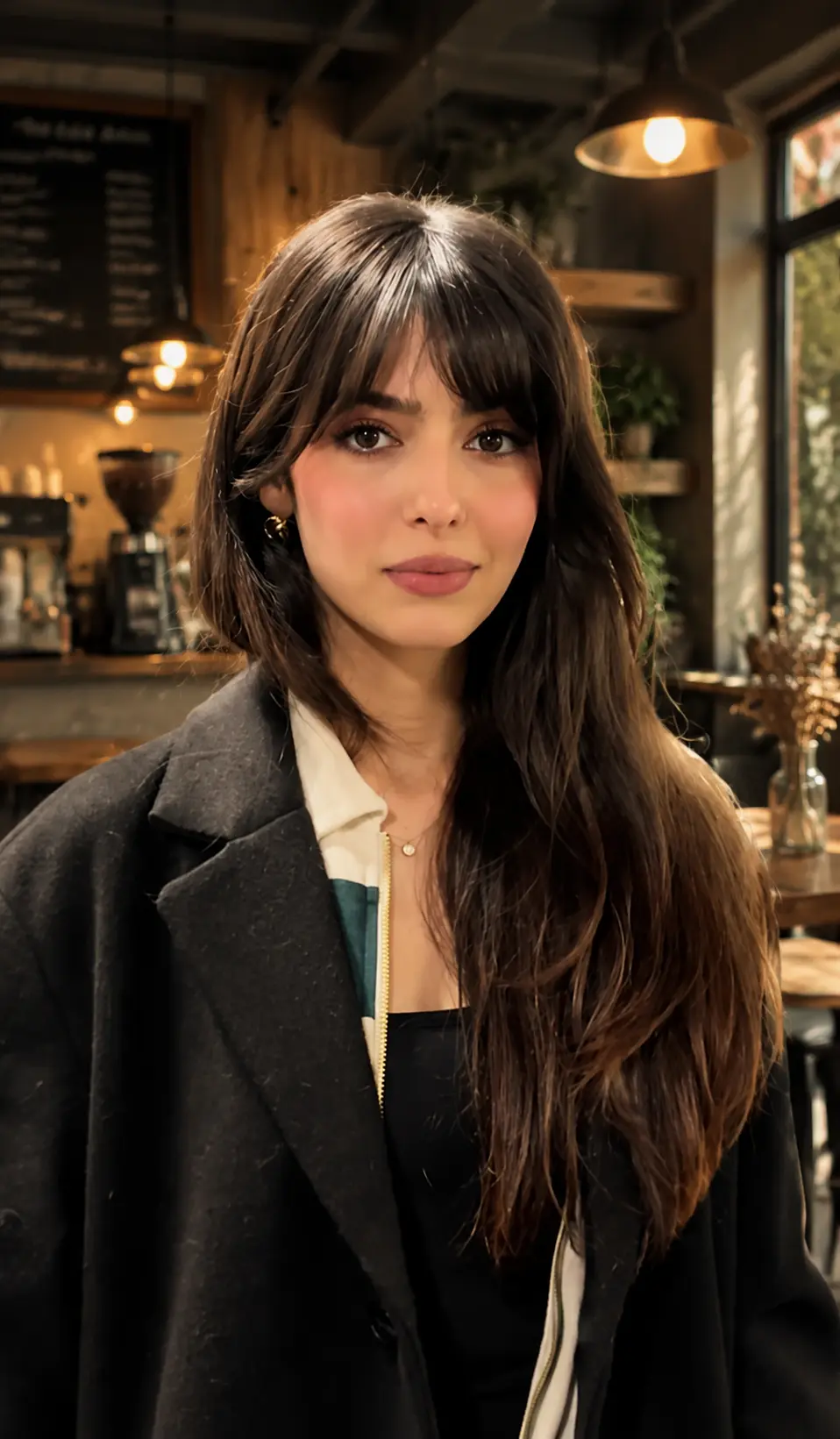
Prompt:
Remove current background and replace with [describe new background]. Ensure lighting direction matches the subject, add appropriate shadows for realism, blend edges naturally, maintain original subject lighting characteristics.
15.Restore Old or Damaged Photos
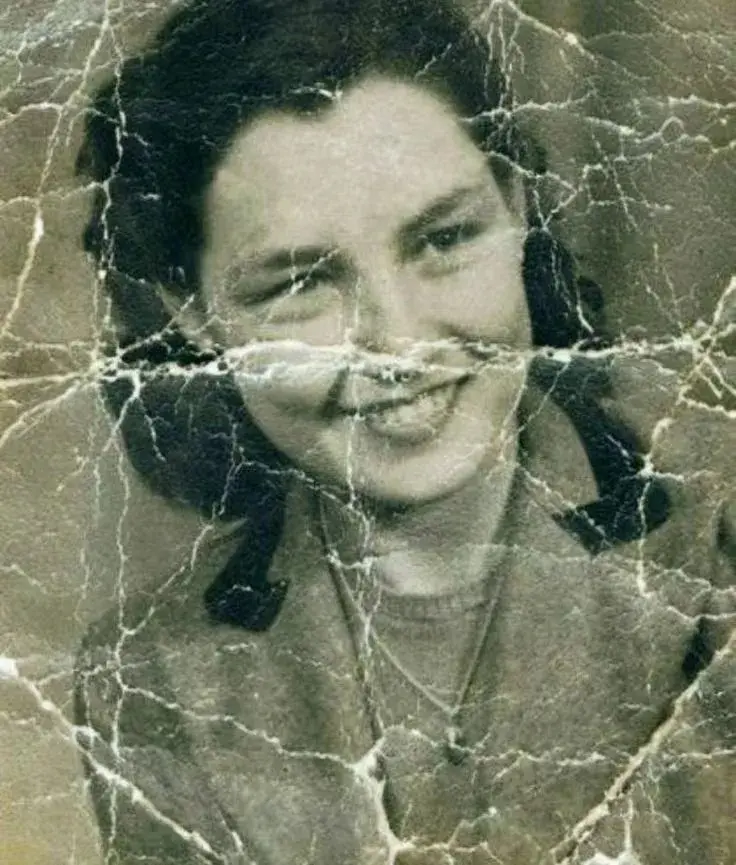
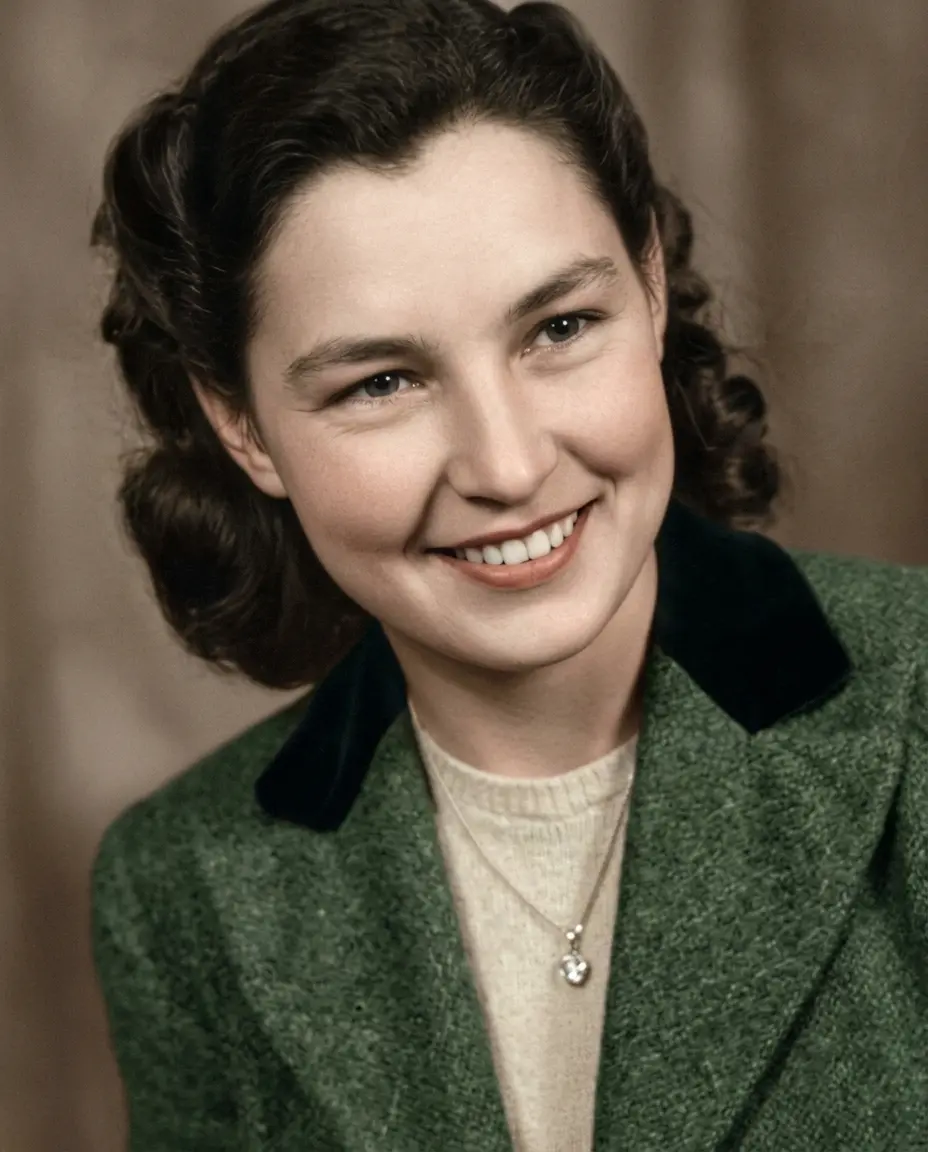
Prompt:
Repair the provided damaged historical photograph. Remove all scratches, tears, dust, and fading. Enhance facial clarity and restore textures while maintaining original character. Colorize naturally based on historical context, using muted, authentic tones. Preserve the nostalgic film aesthetic.
Discover Aesthetic Styles with ChatGPT Photo Prompts
Instead of just making photos “prettier,” these chatgpt photo editing prompts trending focus on stylistic beauty. Apply Japanese soft tones, Korean clean minimalism, retro film grain, or cinematic light and shadow to create photos that express a clear visual style and artistic mood.
16.Instagram Aesthetic / Modern Social Feed Style
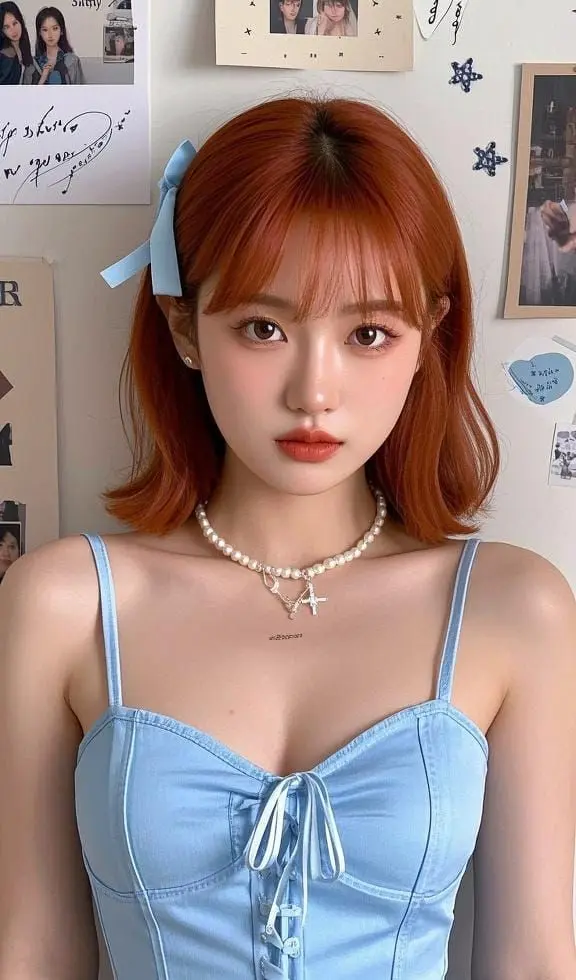
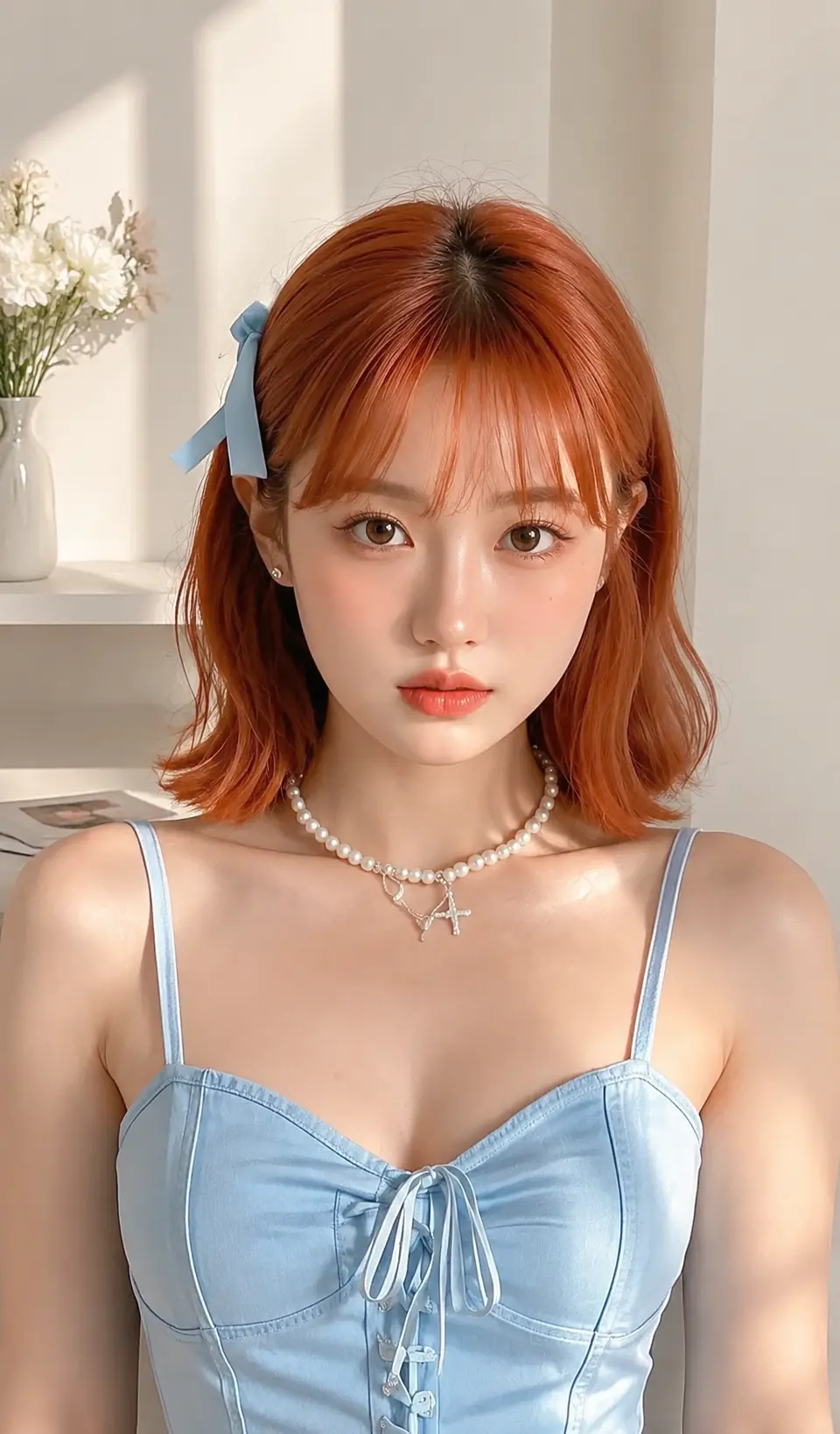
Prompt:
Bright, clean, and airy aesthetic, soft diffused natural light, subtle reflections and highlights, pastel and muted neutral tones with gentle gradients, minimalistic and spacious composition, soft shadows, airy and breathable atmosphere, contemporary social media style, smooth textures, visually balanced and harmonious, trendy Instagram feed vibe, polished and refined look, subtle depth and dimensionality
17.Japanese Soft Style / Dreamy & Gentle Aesthetic
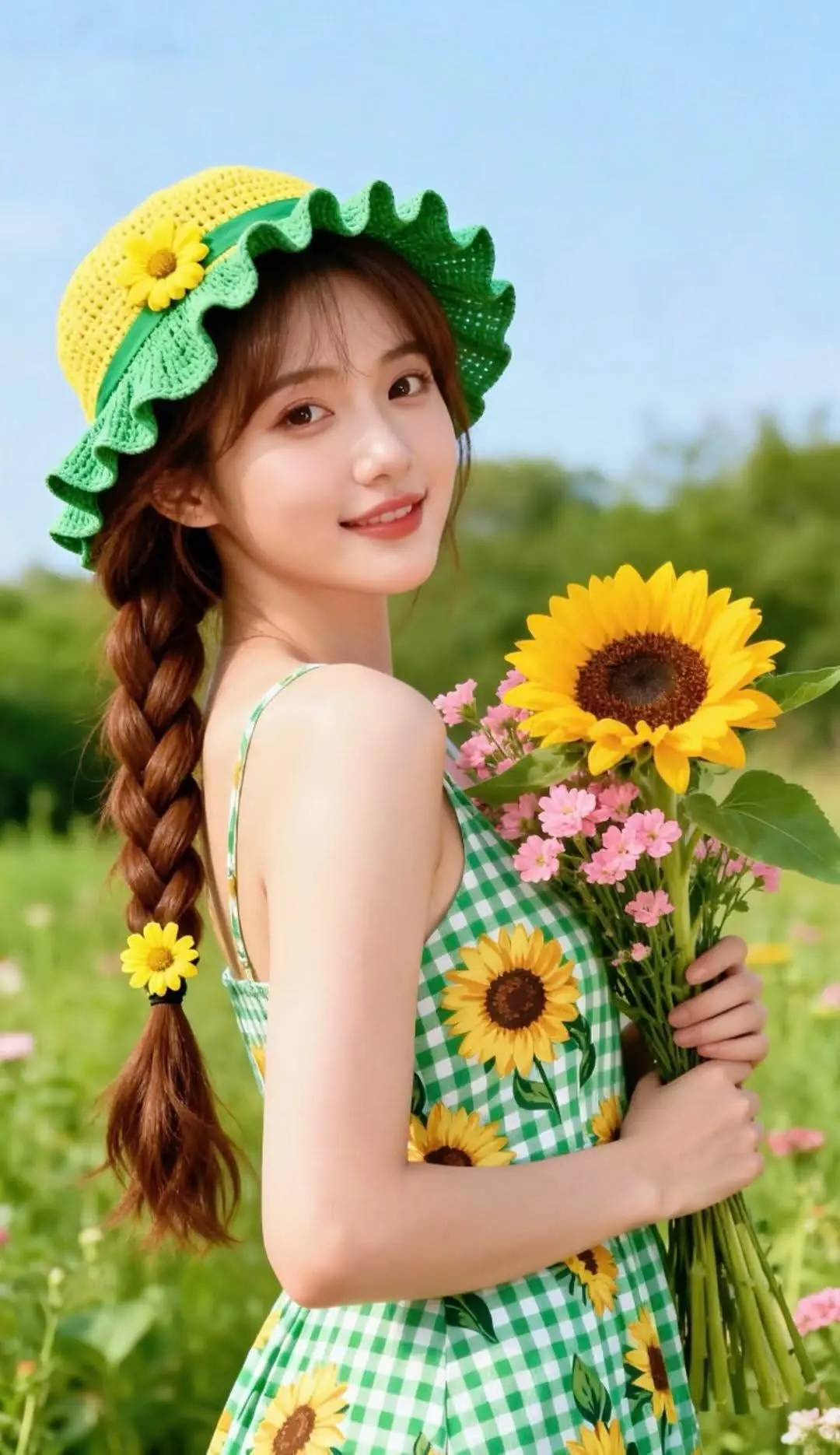
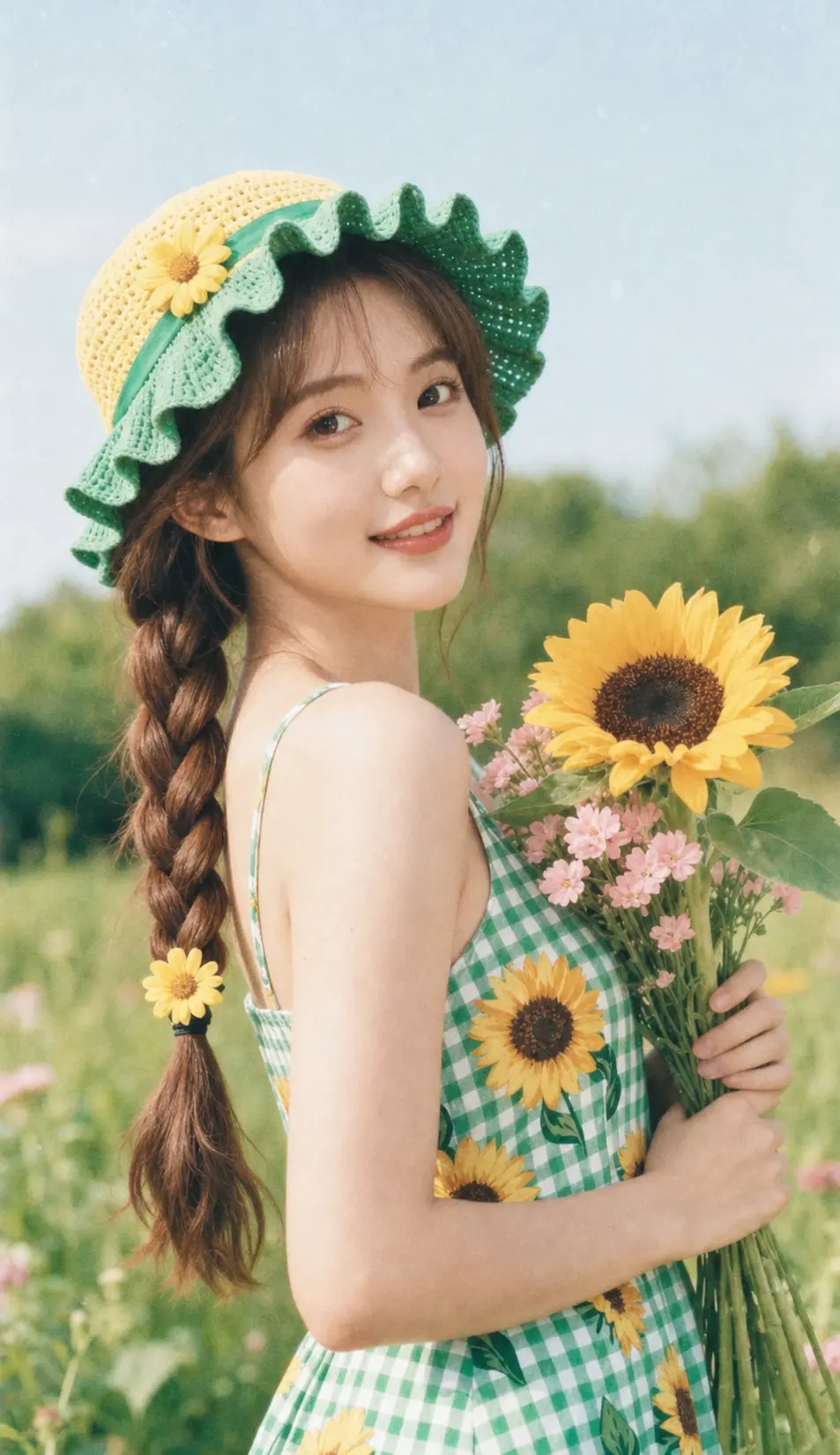
Prompt:
Analog 35mm, soft airy Japanese aesthetic, diffused natural light, pastel tones, low contrast, cozy and dreamy atmosphere, soft film grain, subtle textures, serene and peaceful mood, elegant simplicity
18.Korean Clean Style / Minimal & Fresh Look
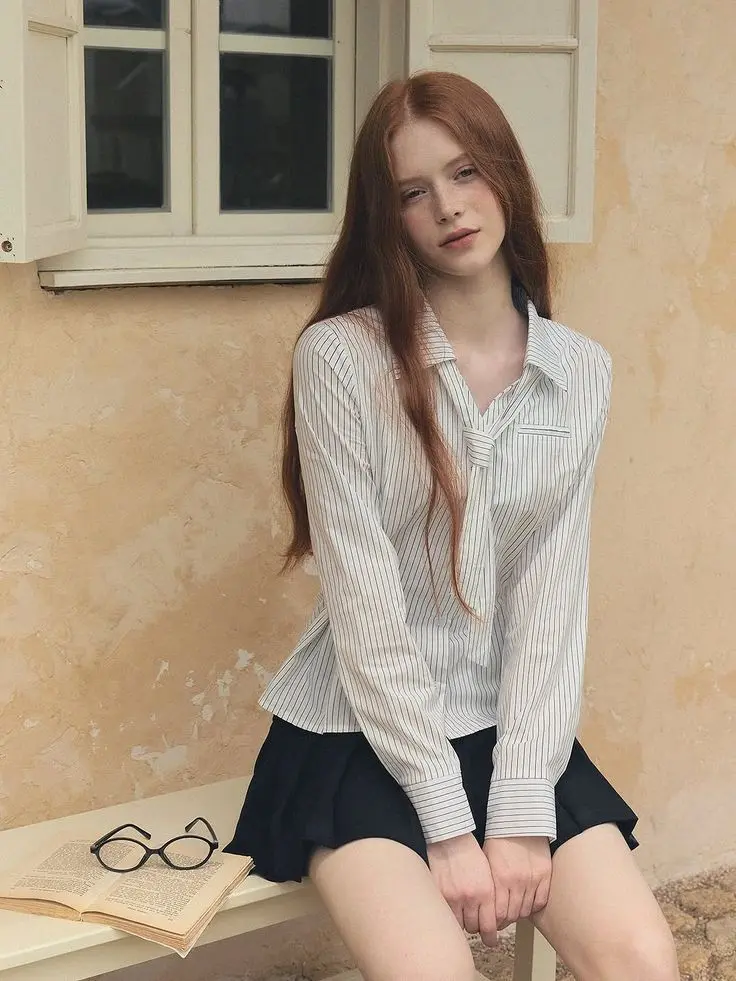
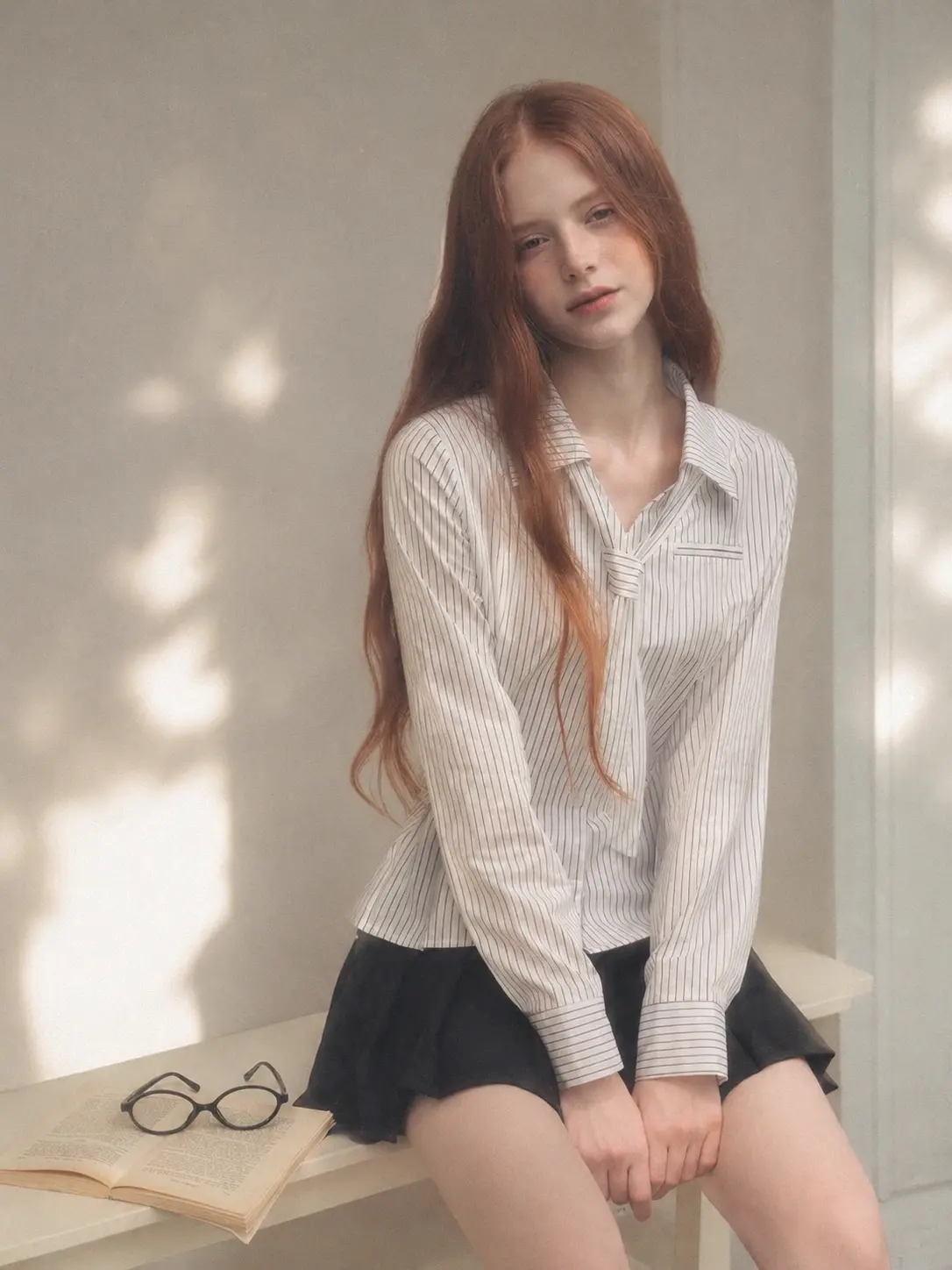
Prompt:
Soft black mist filter effect, lowered contrast, gentle highlight bloom, subtle glow, soft diffusion, slightly faded blacks, muted warm tones, fine film grain, slight softness at edges. Minimal and clean indoor or open space, neutral light-toned background, soft side light or diffused natural daylight, gentle shadow falloff. Subtle textures, airy and calm atmosphere, understated, quiet, and serene mood, soft and dreamy aesthetic, contemporary minimalistic style, visually balanced and harmonious, polished yet relaxed ambiance.
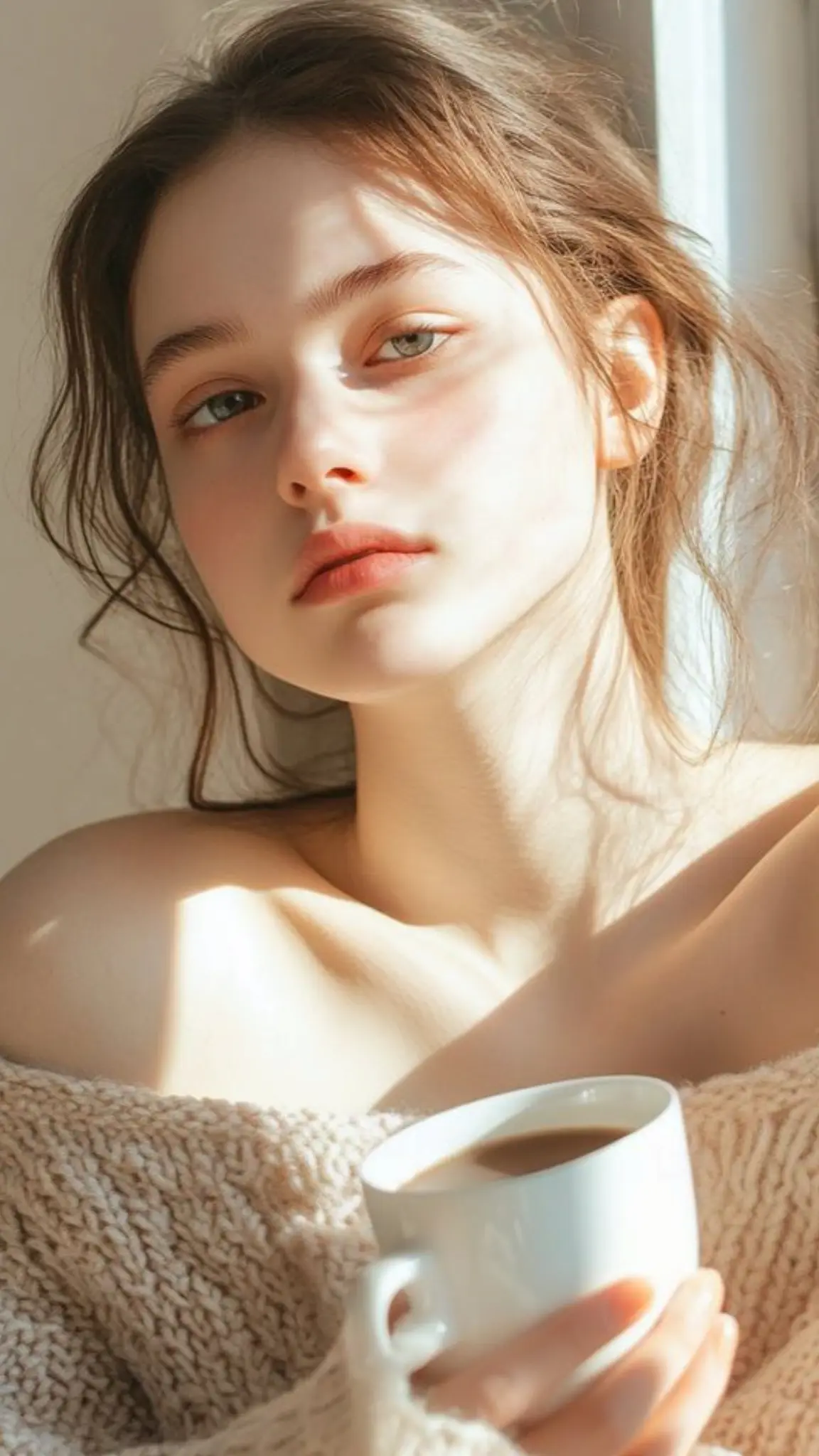
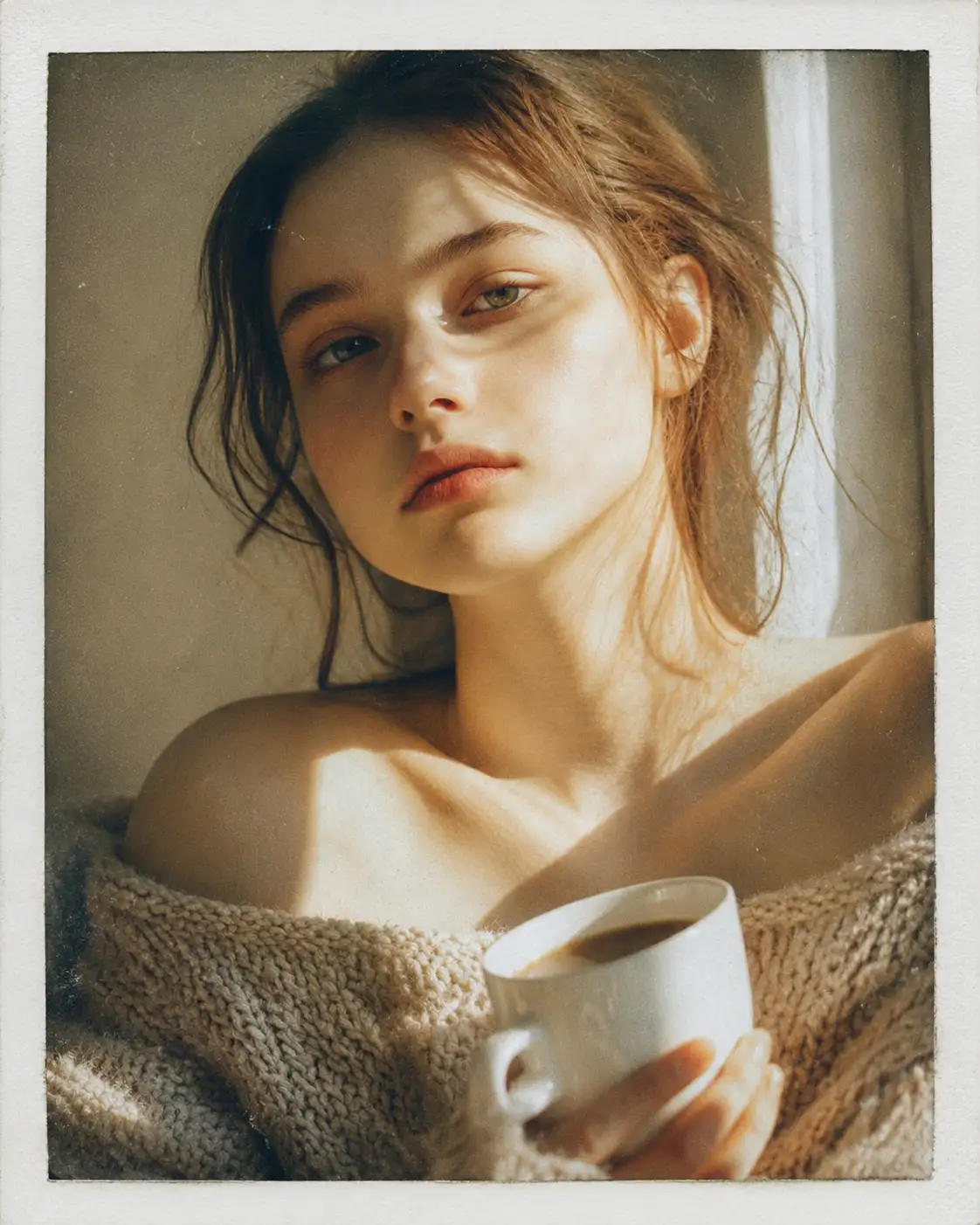
19.Film Camera Style / Vintage Analog Mood
Prompt:
Analog film aesthetic, Polaroid-style look, fine film grain, subtle halation, slight vignette, natural color shifts, soft muted or slightly warm tones, low to medium contrast, gentle highlight roll-off, subtle color cross-processing effect, soft shadows, diffused natural daylight, ambient indoor or outdoor light, nostalgic and vintage atmosphere, textured and tactile feel, retro analog charm, dreamy yet realistic film-like quality.
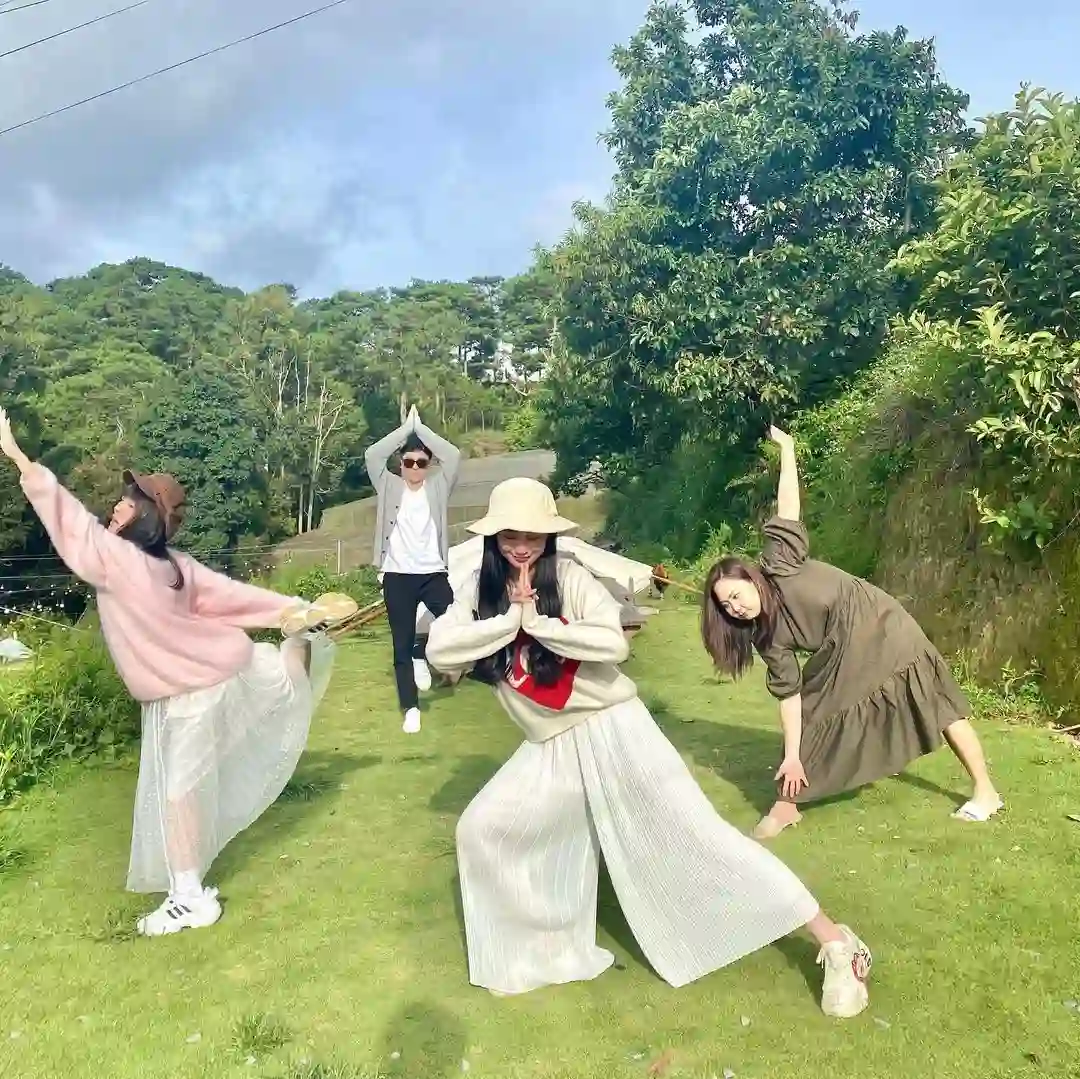
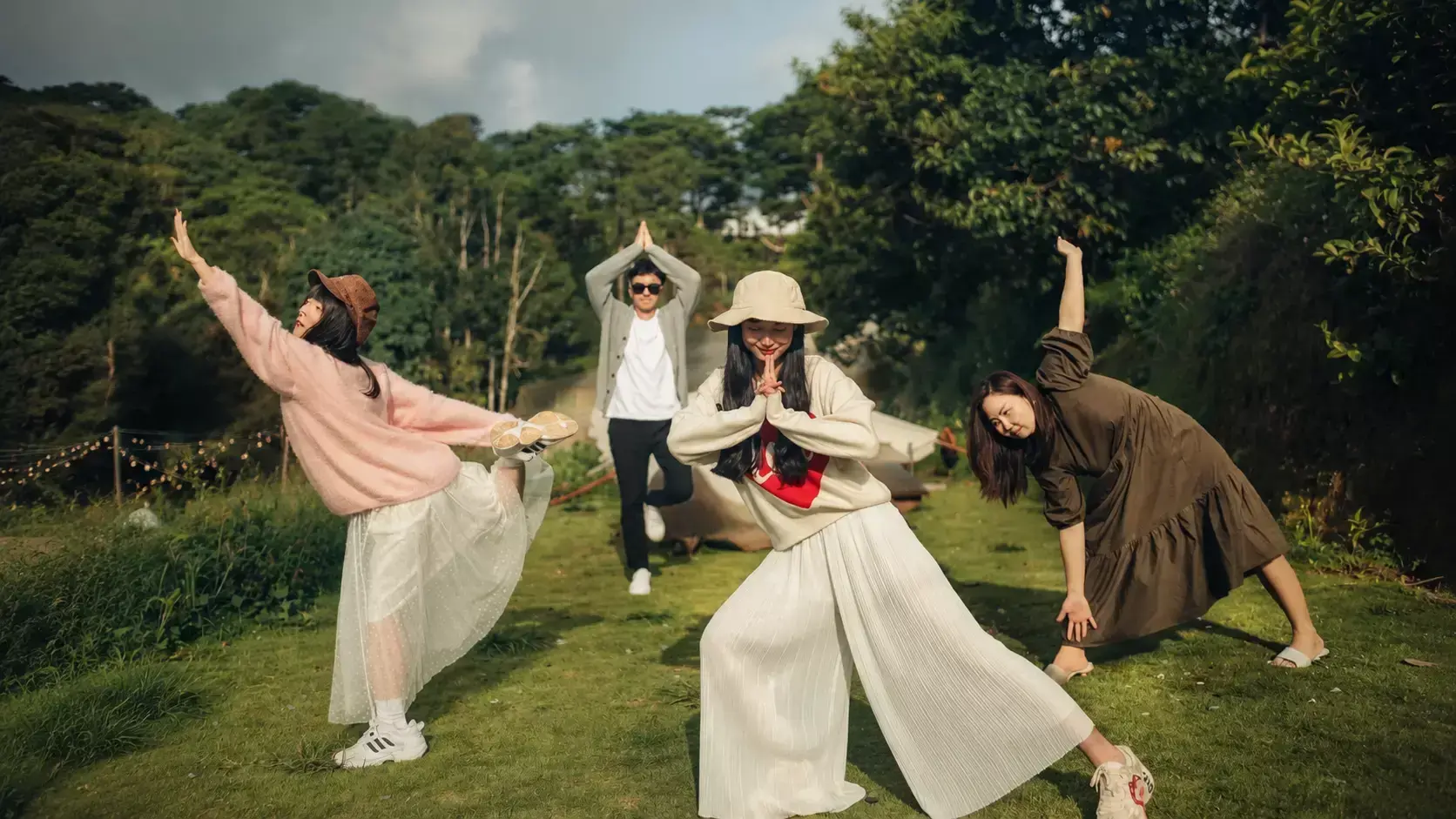
20.Cinematic Style / Natural Film-Like Atmosphere
Prompt:
Cinematic style, natural film-like atmosphere, soft and realistic lighting, diffused daylight or gentle window light, subtle contrast, smooth shadows and highlights, warm or slightly cool cinematic tones, fine film grain, slight halation, subtle vignette, natural depth of field, visually balanced composition, everyday immersive environment, textured surfaces, serene and calm cinematic mood, storytelling-oriented yet natural, soft and airy atmosphere.
Why Edits Sometimes Go Weird (with a Simple Prompt Formula)
You’ve just tried a bunch of our ready-made chatgpt photo editing prompts, but sometimes the results still feel a bit off—colors look funny, lighting seems unnatural, or the style just doesn’t land. Don’t worry! Besides these handy prompts, we’ll also share some simple tricks and a prompt formula to help you get edits that actually look right, every time.
Common Reasons Photo Edits Fail
Here are the most common reasons your photo edits might look a bit off:
Fix It with a Simple Prompt Formula
Edits going weird? No worries! A simple prompt formula can save you time and make your edits look consistent, natural, and visually pleasing.
Prompt Formula Breakdown
Part
Purpose
Example
Subject
Defines the main focus or object
landscape, portrait, still life
Style
Sets the aesthetic or artistic style
cinematic, Korean clean, film-like
Lighting
Controls light and shadow
soft daylight, diffused window light, golden hour
Mood / Atmosphere
Determines the overall feeling
cozy, airy, dramatic, dreamy
Extra Details
Optional tweaks for color, texture, or effect
fine grain, vignette, pastel tones
The Formula
[Subject] + [Style] + [Lighting] + [Mood/Atmosphere] + [Extra Details]
Examples
● Cinematic Landscape
Mountain landscape + cinematic style + golden hour light + dreamy, airy atmosphere + fine film grain
● Korean Clean Interior
Minimal indoor space + Korean clean aesthetic + soft diffused daylight + calm, serene mood + subtle shadows, muted warm tones
Conclusion
At the end of the day, photo editing doesn’t have to be a guessing game. With our ready-made GPT image prompts, a little understanding of why edits can go weird, and a simple prompt formula to guide you, you’ve got everything you need to make your images look consistent, stylish, and totally scroll-stopping. Just plug in the formula, tweak a bit to your taste, and watch your photos come alive! ✨
FAQ About Chatgpt Photo Editing Prompts
1. What are some good photo editing prompts for ChatGPT?
You can use prompts that clearly define your subject, style, lighting, and mood.
Expanding on that, the best prompts are ones that guide ChatGPT to understand exactly what you want—whether it’s a cinematic landscape, a Korean clean interior, or an Instagram-style selfie. On GPT Image Prompt, we have a huge ChatGPT Image Prompt Library of ready-made prompts you can explore and copy instantly. This makes it super easy to experiment and edit your photos for free, without having to craft prompts from scratch.
2. Is ChatGPT photo editing free?
Official ChatGPT photo editing often has usage limits or requires waiting in a queue.
But on GPT Image Prompt, you can access a completely free and unlimited prompt library, allowing you to quickly edit photos and try different styles without restrictions. All prompts are ready to use, so you can skip the waiting and get results instantly.
3. Viral results usually come from using creative and unexpected prompts that guide style, lighting, and mood.
To get started, you can check out our collection of creative prompts on our site, which are designed to inspire scroll-stopping social media images. Experimenting with these ready-made prompts makes it easy to join trends while adding your own twist.
4. What is the best AI tool to edit photos?
There isn’t a single “best” tool—what works depends on your needs, like style control, speed, and ease of use.
Many AI photo editors offer different strengths, so choosing the right one comes down to the type of edits you want and the workflow you prefer.